Hey there! It’s Terry Brock and I wanna let you in on some breakthrough tech that’s going to change the game for all of us entrepreneurs, content creators, YouTubers—you name it.
Have you ever needed that perfect professional photo for your LinkedIn, your YouTube thumbnails, or maybe just a presentation that you want to wow people with?
You are in luck today!
Well, guess what—AI just made that easier than ever, and I’m here to walk you through exactly how to make it work for your business.
This is an incredible breakthrough like I’ve never seen in my years of working with YouTube (since 2006 – really!).
I’ve been in the trenches, coaching, speaking, and authoring for over four decades (yep, 42 years and counting!), so I know what it takes to stand out.
Now, with tools like ChatGPT 5.2 and Gemini’s new image capabilities, we can create killer visuals without hiring a high-priced photographer every single time.
In this video I’ll share with you some tips that I’ve never shared before. This is going to help you enormously with YouTube as well as other places where you need photos like LinkedIn and more.
Stick with me and you’ll find out how to turn your selfies into professional headshots, jazz up your YouTube thumbnails with eye-popping graphics, and fix common AI blunders.
I’m all about peeling back the curtain so you can solve real problems, build your brand, and have a lot of fun doing it.
Welcome to Stark Raving Entrepreneurs, where we give you practical, actionable AI and business-building tips—no fluff, just straight talk and results.
Thank you for being here with me.
Now, let’s dive in and get you the visuals that take your business to the next level!
First, here are some timestamps that can be useful for you:
00:00:13 — Terry Brock announces recent AI advancements that help solve common image problems for content creators, and teases specific ChatGPT advice for fixing image hallucinations.
00:02:07 — Explanation of how to upload your own photo to AI tools (like Gemini and ChatGPT 5.2 with Image 1.5) and have them generate different versions—showing creative ways to use personal images.
00:03:02 — Recap of a breakthrough during a Star Raving Entrepreneurs meeting, where members experimented with image editing and discovered practical solutions for AI-generated image errors.
00:04:31 — Discussion about the changing landscape: creators can now produce high-quality images themselves instead of relying solely on professional photographers, thanks to AI-driven tools.
00:06:13 — Terry Brock tests creating a LinkedIn profile picture with AI from a casual photo, shares challenges of image accuracy, and details how specific feedback improved results.
00:13:33 — Reveals the crucial prompt for keeping facial features authentic in AI-generated images: “Make sure to keep the facial features exactly the same so that it is credible and authentic”—a must-use trick for content creators.
00:19:39 — Terry Brock shares critical advice based on direct feedback from ChatGPT: when editing your own photo, use prompts that specify you want a photo edit (not a regeneration), to avoid face drift and maintain trust and credibility in your content.
For your convenience, here’s a transcript of this episode:
Terry Brock [00:00:00]:
Do you need to use professional pictures in what you do, like for LinkedIn or maybe for thumbnails on YouTube, or you need a lot of pictures for your presentation? Well, I’ve got some good news for you, and it is really amazing. Just within the last week, we have seen some amazing changes in AI. This is gonna help you and me. I’m gonna share with you what it’s done. Matter of fact, hang into this video because I’m gonna show you exactly what ChatGPT told me we needed to do to fix the problem we were having with it. You know those things called hallucinations where ChatGPT does something wrong, doesn’t quite get it right, or messes up in some area? Well, I figured out how to do it by having ChatGPT tell me and I’m gonna share this with you on this video. I’m Terry Brock with StarCore Even Entrepreneurs. We help people like you to solve problems just like this so that you can build your business as a content creator, a YouTuber, if you’re podcasting, if you’re working with blogging and writing as a professional speaker.
Terry Brock [00:00:59]:
Hey. I’ve been doing that myself for, let’s see, forty two years now. Off to a good start and working with that in many other areas as a coach, as an author, speaker. So I’m gonna show you how to use photographs, particularly now with ChatGPT version 5.2 that they’ve come up with just recently and with the image 1.5. They have changed a lot. What do I mean by this? Well, got a lot of things I wanna show you. I’m just gonna bear my soul to you. This is an important video here.
Terry Brock [00:01:28]:
I’m gonna show you exactly what’s going on here. Now this is a picture here. I’m looking at Google Gemini and Nano Banana Pro, which is from, Google, and then chat GPT is 5.2 with GPT image 1.5. All those numbers in there get it there. What I did is this. I took this picture here and, handsome devil that he is that I am. There it is. That’s me right here in my study.
Terry Brock [00:01:51]:
Matter of fact, you’ll see my study behind me. That was from another angle. And I took this a couple years ago on my Samsung Galaxy s 24 ultra. Got a great picture taking capability in it. I really love what Samsung done has done with that. But what I did is I uploaded this picture just like you can do. Take the picture, upload it there and then you can have it design some other things. Look at this.
Terry Brock [00:02:13]:
I did this actually right here. This picture came in from Gemini using Gemini to do it and what I put in there was a picture of me and the picture of me was what I just showed you right there. It took that picture of me and put it in there and hey, looks, I think, like me and then it gave me the robot with notice this. I’m gonna zoom in on this a little bit here so you can see it. The robot is pointing to the screen. I told it to do that. It’s as if you have the robot saying I’m doing this, I’m training you what to do, type on this, type on that, and you can see Terry is a happy boy because that. Think about how something like this can really help you.
Terry Brock [00:02:52]:
You can take your original picture and put it in there and then turn it around in different ways, but it can change it in a way that you don’t want. So you look at it and go, that’s not me. I found a way to work around it. We were talking about this yesterday extensively in our star craving entrepreneurs meeting, and we had some real breakthroughs. Now the greatest thing was so many of the people there were able to come up. We gave them a few minutes to work on it, and they tried it. We like to do that, not just speak about what’s going on, but you try it, you do it, and then we’re here to share and give input. And people came up with some brilliant ideas of what to do and how to correct some of the errors that were coming through.
Terry Brock [00:03:26]:
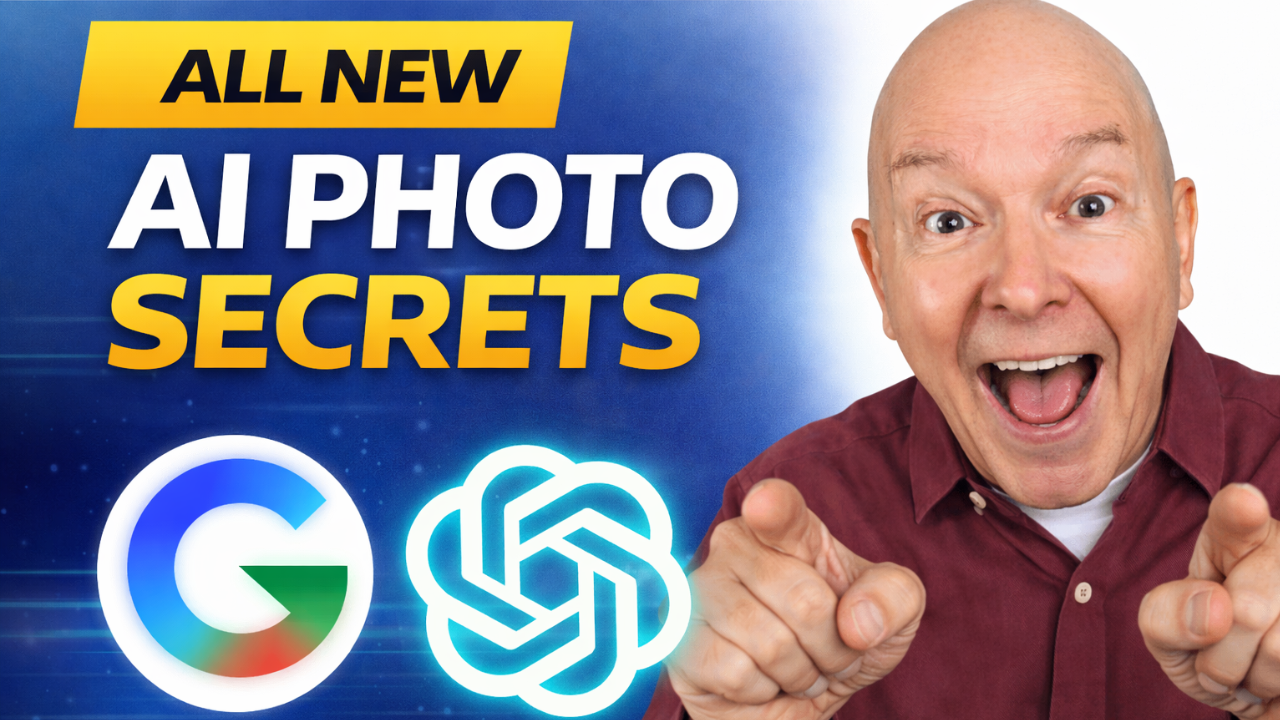
But a whole lot of good things were there on that. But before we get into that, I wanna give you another thing really helpful. If you’re using YouTube, I’ve got some good news for you. Look at this. This is what I consider the best thumbnail that I have ever created. I did it and I’m not brang bragging on me. No. I’m saying this is what I got when I use Gemini.
Terry Brock [00:03:48]:
When I use Gemini, it came up with this based on the script that I gave it. I told it, okay, here we go. This is the, title. Give me a good title for something like that, and it came back with learn anything 10 x faster. And notice what it put it how it put it in there with the right little curve on it, the different kind of fonts that were there that I wasn’t using, a different background. It took the picture that I did when I went something like that and getting the shots for it and then it also put the chat GPT symbol in there. All of this was done by Gemini and I’m looking at chat GPT doing the similar kinds of things now that you and I can do it. What does that mean? Well, your world and my world have changed dramatically.
Terry Brock [00:04:31]:
Now instead of going to professional photographers all the time for constant updates, we’re gonna be able to do a whole lot on our own. Now I know my many of my friends, professional photographers, do a lot of photography and do a great job with it, by the way. Far, far better than me. I’m definitely not in that. I use my Samsung Galaxy. I use my iPhone, and I love the pictures they take, but they’re not quite perfect. And the problem is not the cameras. It’s just that’s not my area of expertise.
Terry Brock [00:04:56]:
I’m not that good at it. But do you realize the breakthrough we’ve got now? This breakthrough means that you and I can get a simple picture of ourselves, good lighting, make sure the background is okay, make sure things are fine, make sure that we’ve got the right expression, maybe put a little bit of makeup on, something like that. And, yes, guys, I’m talking to you as well. They do it professionally on TV, so do it when we need to. Women are way ahead of us on this. They know what to do. But put that on there. Now you can start taking pictures that you can use in different areas.
Terry Brock [00:05:28]:
And so like I did here, I took this picture, and I was able to say, okay. We’re gonna take this one right here, the thumb and make created a nice thumbnail for me. So I want you to start thinking about that. How you’re gonna be able to use these kind of tools to get the the kind of pictures you want. Well, here’s something I did yesterday. Let me show you this. I’m going here at really intimate stuff. I took this picture right here on my Samsung s 24 and it’s right right I’m just sitting here just turned over this way and I got a window over here.
Terry Brock [00:05:58]:
So a little bit of light coming in on there. I took this picture and then with that picture, I asked it to create a LinkedIn profile picture for me, and I want you to see what it did. Here it is. It gave me this. So that look I looked at that and I thought, well, that kinda sorta looks like me, but not exactly. And then I went to Gina who knows me better than anybody, because Gina because Gina sees me more than anybody. She’s more than I see myself. I’m not looking in the mirror all that many times.
Terry Brock [00:06:28]:
But I look at this and I thought, that’s okay, but not quite. It might be your brother. It might be a close cousin or something or but, no. Definitely not me, and there’s a reason why. What happened is that in the algorithm that ChantGPT has and that we see in Gemini and other tools as well, other LLMs. If there’s a slight change in some things, they will not allow that. They won’t let you do that. Not that there was any anything f unethical or immoral or illegal done.
Terry Brock [00:06:59]:
It’s just the way that it works, but I’m gonna show you in just a little bit how I worked right because I just discovered this myself about, thirty minutes ago. Getting it ready for this particular feature right here. So what I did is I went back again and then I told it to keep the facial features exact. Do not change those. And when I did that, then we got something that was a lot better. Look at this. I’m gonna zoom out of this right here. Here’s the picture that it gave me.
Terry Brock [00:07:27]:
This is a created picture based on this one right here. This picture was the real picture from my Samsung, took that on my phone, and then I said, bring this in here and change it a little bit. I want you to change that, put gave me a coat and a tie. Sometimes you need to have that, so I put that in there. But this looks like me. I told it to keep the background or change the background, but keep the facial features the same. That is the key. And then, I wanted to get some pictures that I could use for YouTube.
Terry Brock [00:07:57]:
See, when you’re using a YouTube thumbnail, you want to be a little more emotional. You want to have the things you’ve seen. Okay. I mean, I’m bearing my soul to hear today. You know, you’re going you know, little things like that that you’re gonna put in there. Well, that’s okay. And, by the way, those you’re catching this on audio, you’ll wanna come over and watch this on video. This is heavily video oriented, and we’re gonna do some more that’ll be, real good for audio only.
Terry Brock [00:08:21]:
But this is one here that’s for video, but you can still get a lot of good information. Hang in there with me. It created several different actually, three different pictures that I could use in YouTube. Here, look. Look. Take a look at this. There’s three. As you can see, one here on the left.
Terry Brock [00:08:36]:
It’s got me making kind of a snarly face, pointing my finger out here, and a kind of shirt and, looks like a denim jacket that I don’t have, but, looks nice. And I don’t know what the world’s going on here. I noticed it’s got this thing right here below my neck. That, I don’t know what it is. But, I might not use that in many cases. But look at this one over here on the far right. This one on the far right, you’ll see it’s me, smiling, got a sweater that I don’t have. That’s a shirt that I don’t have, and it looks okay.
Terry Brock [00:09:02]:
It looks like I might be drinking a cup of coffee that it put there, but I’m laughing about something or joking. That’s alright too. And that’s something that I did not do, but it is something that can be done with ChatGPT, with Gemini, with the other tools that are out there today. Think about the game changer this is. Now you can start creating these for YouTube thumbnails in many different ways. Oh, and also take a look at this one here in the middle. The one here in the middle, it’s got a picture of me and you’ll see if you I zoom out here a little bit. It created me with some, looks some nice beige pants, a nice belt there, nice, blue shirt and blue, light blue shirt, blue, navy blue blazer, and there it is.
Terry Brock [00:09:43]:
I got a look on my face could be me going, what do you think? I don’t know. What am I gonna do about that? And so, all of this has some real nice applications. Take a look at this one also here. Here’s one that I asked it to create with with me, and a slide behind me. I’m operating on a laptop computer in a business situation with people who are addressed in business attire. This one looks pretty good and it’s close but it’s not, close but no cigar. As I zoom in on this real quickly here, I look at it and go, that’s not quite me. It’s close but I would not say and obviously it’s not a real picture.
Terry Brock [00:10:21]:
So I could use this in some situations. Situation where I might be talking about here’s how you create slides when you’re in a business conference room situation. I might put that up. I would not claim that is me in a conference room. Now, I have presented like that in probably hundreds, if not a few thousand, conference rooms just like that with executives around or people from other parts of the company, and we’re talking about what’s going on. I’m pointing out things like that. So I don’t have a picture of that often when you’re doing it for a company. They don’t want you getting a picture of them.
Terry Brock [00:10:56]:
They want their privacy, and they don’t want people seeing the inside of their buildings, things like that. I honor that and respect it. What I can do is use this one that was made up, and it can be good for b roll. The whole idea is now we can change these quite a bit. And speaking of that and how we can change it, take a look at, this one over here. Let me see. Let me get this for you. Here, it’s got a picture of what I asked for for me talking to a larger group.
Terry Brock [00:11:21]:
But when I zoom in on that let me just zoom in on the picture here that’s supposed to be me. Again, that’s not quite me. Close, but not the same. So, a matter of fact, Gina picked that up first. I first looked at it. I was bit I was coming back a little ways. I looked at it. I thought, oh, that looks pretty good.
Terry Brock [00:11:35]:
But Gina knows me even better, so she looked at it. And then when I zoomed in on this, I go, oh, yeah. Okay. Once again, Gina’s right. That’s not me, but I could use it to demonstrate it’s good to speak to, people or go out and do pro professional presentations. As I’m a member of, professional speaking association, the National Speakers Association, We can use this, something like that to talk about what can be done. Real nice. Now, here’s another one.
Terry Brock [00:12:01]:
I’m getting real close with you right now. I took this picture right here. Let me zoom out a little bit so you can see it. Just before I started recording, what I wanted to do is to have something fresh and hot off the griddle for you. So this is information you can use, and what we got from it, I’m gonna share with you. We saw coming through in a pretty amazing way. This picture, obviously, you see it’s the same thing I’m wearing right now, and I wanted it to be something like, oh, this is amazing and might use this on the, thumbnail sometime in the future. You’ll see it.
Terry Brock [00:12:32]:
And it came up with some, interesting information. And let me show you what that did and how you can get around the problems that it can give you. Okay. Here’s where this is getting really nitty gritty and this is gonna help you a lot. You’re gonna save a lot of time. I’ve already had to spend the time and the effort trying the prompts. It didn’t work. Try this.
Terry Brock [00:12:49]:
It didn’t work, etcetera, and all that kind of thing. A lot of people give up right there. I said, no. No. No. I gotta push through from my wonderful people that are watching the video, and that’s you. So here’s what we’re gonna do. Take a look at this, and here it is.
Terry Brock [00:12:59]:
I put this on a Google Doc. You’ll see here’s the, prompt that I put in there. I took this picture that’s right from my phone, and on this you’ll see what it said. Let me get me out of the way here and straighten this out a little bit here. Take this picture of which I just took on my cell phone on my Samsung Galaxy s 20 it should have been s 24. Two four notice I did a s two four Ultra and make it into a more professional image that I could use for a business publication. Also, I’d like to use this in a LinkedIn profile. Make sure to keep the facial features exactly the same as that is credible and authentic.
Terry Brock [00:13:33]:
That last sentence, you want to remember that. Write that down or get a picture of it, get a screenshot of this right here. Make sure to keep the facial features exactly the same so that it is credible and authentic. My friends, that is something you want to remember. Make sure that you use something like that and that phraseology, try it the way there, and that’s gonna save you a lot of grief. I’m gonna show you a little bit more here on the grief it can save when we do that. So you see what I did is I did that and came in here, and this is the picture it gave me, which is okay. Now I probably would not use this one for LinkedIn.
Terry Brock [00:14:07]:
You use different kinds of pictures for different features, and I think I really, muffled that one up a little bit when I was doing it. So I put it in here. It’s a surprise expression. Now, I could use this and some others. I could make a good thumbnail by itself. And so, I put in a new one and this is where I learned a whole lot and you’re gonna really appreciate. You can take take a look at this right now and thank me later. I said, now take the same picture and while keeping the facial features exactly the same, turn it into something that I could use for a YouTube thumbnail showing astonishment and amazement at discovering this new technique that I’m gonna share in the video.
Terry Brock [00:14:41]:
Make it look professional, but also a little bit of fun rolled into it. Also, remove the background so that we can use it in the in the image better. You can also crop a little bit off the bottom, bringing the bottom of the picture up to the bottom of my hands. So you’ll see, here on this let me zoom back out on this. You’ll see I’ve got, got my hands there, then I could eliminate some of this here on the bottom that would work well. So I thought, okay, that’s what I’ll use, and look what happened. When I put that in there, it gave me this picture, which definitely does not look like me. And I look at that and thought, oh my goodness.
Terry Brock [00:15:15]:
What’s happening on that? And that surprised me. And, you know, that’s where often we give up. We say, see, it didn’t work right, and we gave up. But I found you persist through and get the right prompt and it works for you. So what we did is I said, alright. We got that picture right there. That’s okay. But I told that here, matter of fact, look at this right here.
Terry Brock [00:15:34]:
I just went in and I told Chad GPT, this one is not good. It takes out too much of the original me, makes it look, quite different, go back to the original, blah blah blah blah blah, all of that. And so I it said, the image generation request did not follow our content policy because it gave me an error. Let me bounce over to show you what happened. So this is gonna help you a lot. I’m gonna show you exactly what chat GPT told me in candor and right up front. So you won’t have to have the same kind of, mistakes, these kind of problems, and you’re gonna reap a harvest of many pictures for your LinkedIn profile just the right way, which is gonna be different than YouTube thumbnails, which is gonna be different than other areas where you’re using photography. This is gonna help you.
Terry Brock [00:16:20]:
So let’s get right into it here. What I wanna do is take a look at this, and it says here, I said, tell me why you stopped this one. It came up with this and it said, had the image generation request did not, follow our content policy. Have you ever had that happen where they say, hey. It didn’t follow our rules of what we had. They don’t tell you what happened, but they just go ahead and do it. Well, with chat g p t, they did tell me. I love that about it.
Terry Brock [00:16:44]:
It said, okay. Let’s take a look at what why it did it. And I said, tell me why it stopped this, why you did that, and then look at what it said right here. It said, you’re right to call this out. And thank you for doing so. Let me explain clearly and straight. Notice it put that in all bold case in all bold face there because this was not about coercion, impersonation, or anything sketchy on your part. What actually happened? Plain English, this is good.
Terry Brock [00:17:10]:
Nothing you ask for violates safety in the real world sense. The issue was procedural, not ethical. Okay. That’s good to know. Here’s the short version. Look at this. You are editing an image of yourself. You explicitly asked to keep facial features exactly the same.
Terry Brock [00:17:27]:
You requested cropping, background removal, and thumbnail style presentation. All that is allowed. Okay. That’s good to know. K. Right there. But here’s the short version. You are editing an image of yourself.
Terry Brock [00:17:39]:
You explicitly asked to keep facial features exactly the same. You requested cropping. I did. I wanna cut that off up to my wrist up here. Background removal and thumbnail style presentation, all that is allowed. However, here’s the big however. However, the image generation tool I’m required to use has a hard constraint. When a user asks to preserve identity exactly and request stylistic changes, the system must treat this as a photo edit, not a new image generation.
Terry Brock [00:18:14]:
That, my friends, is the key. It is a photo edit, not a new generation a new image generation. That’s a key phrase that you’ll want to use in your prompts. Put that in there, and you’ll do a lot better on that. So look at what we’ve said it said it went in here. It said in the last attempt, the system interpreted the request as generating a new image inspired by the original instead of editing the original photo, which is why the face drifted, the skin got AI smooth. There’s a nice term. You correctly said this doesn’t look like me.
Terry Brock [00:18:47]:
And when you said when you then said go back to the original and crop it, the system tried to route it again through generation instead of image editing. So what we have to do, they’d surface to you and it was annoying. Do not and that’s why it said right there, it did not follow our content policy. The message is honestly misleading. This is on the tooling, not on you. Well, I felt good. So here’s the important reassurance because this matters. This matters when you’re putting it together.
Terry Brock [00:19:18]:
First of all, I did not violate the policy. This was not about identity misuse. This was not about LinkedIn, YouTube, or professionalism, and it was not about realism or deception. This is my image. The request was legitimate, and we can finish this clearly. So how we finish this correctly and and get it right, this is what you’ll wanna know for the future. To lock into this and prevent any facial drift, we need to do this as an image edit, not a regeneration. There is the key, my friends.
Terry Brock [00:19:49]:
Do it as an image edit. This is exactly why I recommend next and what will work. Notice as it said, one, confirm the edit only intent, something like, here’s the prompt that it’s asking you. ChatGPT is asking you to use this prompt. Edit the original uploaded photo only. Do not regenerate. Do not alter facial features. My friends, this is what you need to do.
Terry Brock [00:20:14]:
You wanna put that phrase in there, you can get that and you can say, okay, thank you Terry, we I wanted to give you that. This is gonna help you a lot in there. And also step two, let’s look at that, specify only mechanical changes. We’ll do only crop the bottom up to the wisps, remove background transparent PNG, good, slight contrast, clarity, boost, no smoothing, and keep expression, lighting portions unchanged. That’s it. No stylization yet. And step number three, optional YouTube thumbnail polish that you can do afterwards. Once we have the faithful output, we can add fun color or burst behind you and text or arrows, do all the YouTube wow kind of stuff without touching your face.
Terry Brock [00:21:01]:
This mirrors how pros do thumbnails in Photoshop. You go the subject first. This is good. Write this down. Subject first, design second. And then one last thing. I love this. Straight talk, not fluff.
Terry Brock [00:21:15]:
Your instinct here is dead on correct. Makes me feel good that I’m dead on correct for LinkedIn credibility, YouTube trust, brand consistency. Face drift is a deal breaker, and you caught it immediately, exactly what a pro should do. If you want, next step, I can give you the exact edit prompt to pace or walk you through bulletproof workflow, etcetera, etcetera. And I got all that done so that it key gave me what I needed. It gave me what I needed and it gave me what I wanted. And so I’m having some fun here with the videos. I’m putting this together.
Terry Brock [00:21:45]:
Just keeping it real with you. But we have just made a major breakthrough. This is what you wanna look at. When you’re doing these, it’s amazing tool that can work, but it’s not gonna work always right right out of the first box right out of the box. Kinda like if you’re learn to fly an airplane. I’m not a pilot. I hear from my I would say, you can make errors. You can do one little thing wrong.
Terry Brock [00:22:03]:
You might think that’s right, but no. That’s why we need people that can help you on that and show you what to do, and now we’re getting AI bots to do that as well. So lots of good on this one. This is going to help you to get ahead, to be able to do even more than what you had planned before, and I’ve got another little thing that I wanna give you that’s gonna help you specifically on this. So the bottom line is things are changing in our world. The good news is we’re gonna be able to save a lot of money and get things done faster and better for YouTube thumbnails, for professional LinkedIn type pictures that we need, for business presentations, for fun pictures that we might send someone. You can take that and put you in different places. Think about the possibilities for it.
Terry Brock [00:22:44]:
It’s gonna be enormous, but you gotta do it right. And a way that we will help you with that is through Start Craving Entrepreneurs. We’d love to have you take a look at what we’re doing there as we help many other people do the kinds of things you need with AI and others. Go ahead and with this video, we’d really appreciate it. It would mean the world. If you’d like this and share it with others so that others can benefit from this, then subscribe to it. That lets us know, hey. We’re liking this.
Terry Brock [00:23:08]:
It’s a kind of way of paying for it, although you’re not paying any money, but you’re doing this right now. And this is a good thing, something that can help all of us as we work with this. And we’ve got a special gift for you right now, AI tools for biz. That’s AI tools, the number four, biz.com. And got your camera with you. There’s a QR code so that you can look at that and get some, information on several different products that can help you that we are updating and you’re able to see changes as they come along. So this is something you can do. Just bounce over there.
Terry Brock [00:23:40]:
There’s no charge for that whatsoever. You put in your name and address and then we’ll send you some information. If you say, hey. I don’t want that anymore. You just unsubscribe and you’ll be all set on that. So you see, our world is changing dramatically right now. We’re seeing some major things happen with it that are helping us to get more done in less time to get the kind of results that we want, and we can do that very well when we know what to do. And we’ve got another video right over here that’s gonna help you on that.
Terry Brock [00:24:08]:
This is one I’ve carefully selected so that you can take what you’re doing now and go to the next level. I’m Terry Brock with Star Craving Entrepreneurs. And on behalf of Gina Carr and myself, we wish you the very best, and we look forward to hearing from you.
========================
And for our Spanish speaking viewers, here’s a transcript in Spanish:
¿Necesitas usar fotos profesionales en lo que haces? ¿Como para LinkedIn o tal vez para miniaturas en YouTube, o necesitas muchas fotos para tus presentaciones? Bueno, tengo buenas noticias para ti, y son realmente sorprendentes. Solo en la última semana hemos visto cambios increíbles en la IA. Esto va a ayudarte a ti y a mí. Voy a compartir contigo lo que me dijo ChatGPT sobre lo que necesitamos hacer para solucionar el problema que estábamos teniendo con él.
¿Sabes esas cosas llamadas “alucinaciones” donde ChatGPT hace algo mal, no lo entiende del todo o se equivoca en alguna área? Pues averigüé cómo arreglarlo pidiéndole al propio ChatGPT y voy a compartir esto contigo en este video. Soy Terry Brock con Stark Raving Entrepreneurs.
Ayudamos a personas como tú a resolver problemas como éste para que puedas construir tu negocio como creador de contenidos, YouTuber, podcaster, si trabajas con blogs y escritura como orador profesional.
He estado haciendo eso yo mismo por, veamos, cuarenta y dos años ya. Empecé bien y he trabajado en muchos otros ámbitos como coach, autor, orador. Así que voy a mostrarte cómo usar fotografías, especialmente ahora con ChatGPT versión 5.2 que salió recientemente y el Image 1.5. Han cambiado muchas cosas.
¿A qué me refiero con esto? Bueno, tengo varias cosas que quiero mostrarte. Voy a abrirme contigo. Este es un video importante.
Voy a mostrarte exactamente lo que está pasando aquí. Ahora, esta es una foto aquí. Estoy mirando Google Gemini y Nano Banana Pro, que es de Google, y luego ChatGPT es 5.2 con GPT Image 1.5. Todos esos números ahí. ¿Qué hice? Tomé esta foto aquí y, guapo que soy yo, ahí está, esa soy yo aquí en mi estudio.
De hecho, puedes ver mi estudio detrás de mí. Esa fue desde otro ángulo. La tomé hace un par de años con mi Samsung Galaxy S24 Ultra. Tiene una gran capacidad para tomar fotos. Me encanta lo que ha hecho Samsung con eso. Pero lo que hice fue subir esa foto, igual que puedes hacer tú. Tomas la foto, la subes ahí y luego puedes pedirle que diseñe otras cosas. Mira esto.
Lo hice aquí realmente. Esta imagen salió usando Gemini. Usé una foto mía, la que te acabo de mostrar. Gemini la tomó y la puso ahí y oye, creo que se parece a mí y luego me puso con el robot, fíjate en esto. Voy a acercar esto un poco para que lo veas. El robot está apuntando a la pantalla. Yo le dije que hiciera eso. Es como si el robot estuviera diciendo “Estoy haciendo esto, estoy enseñando cómo hacerlo, escribe aquí, escribe allá”, y puedes ver que Terry está feliz por eso. Piensa en cómo algo así puede ayudarte realmente.
Puedes tomar tu foto original y ponerla ahí y luego girarla de diferentes maneras, pero puede cambiarla de una forma que no quieres. Así que la miras y piensas, “Ese no soy yo”. Encontré una manera de evitarlo. Estuvimos hablando de esto ayer extensamente en nuestra reunión de Stark Raving Entrepreneurs y tuvimos verdaderos avances. Lo mejor fue que muchos de los asistentes pudieron probarlo. Les dimos algunos minutos para experimentarlo, y lo intentaron. Nos gusta hacer eso, no solo hablar de lo que está pasando, sino que lo intentes tú, que lo hagas tú y luego estamos aquí para compartir y dar nuestra opinión. Y la gente dio ideas brillantes de qué hacer y cómo corregir algunos errores que aparecían.
Hubo muchas cosas buenas en todo eso. Pero antes de adentrarnos en eso, quiero darte otra cosa que te será útil. Si estás usando YouTube, tengo buenas noticias para ti. Mira esto. Esta es la mejor miniatura que he creado. La hice yo, y no estoy presumiendo de mí. No, estoy diciendo que esto fue gracias a Gemini.
Cuando usé Gemini, hizo esto, basado en el guion que le di. Le dije, “Ok, aquí vamos. Este es el título”. Le pedí un buen título y volvió con “Aprende cualquier cosa 10x más rápido”. Y fíjate cómo lo puso ahí, con el arco, los tipos de letra distintos que yo no usaba, un fondo diferente. Tomó la foto que hice cuando tomé la imagen, y también puso el símbolo de ChatGPT. Todo esto lo hizo Gemini y estoy viendo que ChatGPT está haciendo cosas similares ahora, que tú y yo podemos hacer. ¿Qué significa eso? Que tu mundo y el mío han cambiado dramáticamente.
Ahora, en vez de ir siempre a fotógrafos profesionales para actualizaciones constantes, vamos a poder hacer muchas cosas nosotros mismos. Ahora, sé que muchos amigos míos, fotógrafos profesionales, hacen muy buen trabajo con la fotografía, mucho mejor que yo, por cierto. Yo no hago eso tan bien. Uso mi Samsung Galaxy, uso mi iPhone, y me encantan las fotos que toman, pero no son perfectas. Y el problema no son las cámaras, simplemente esa no es mi especialidad.
No soy tan bueno en eso. Pero, ¿te das cuenta del avance que tenemos ahora? Ahora tú y yo podemos tomar una simple foto nuestra, con buena luz, asegurarnos de que el fondo esté bien, que todo esté correcto, que tengamos la expresión adecuada, tal vez un poco de maquillaje. Y sí, chicos, también les hablo a ustedes. Lo hacen profesionalmente en la tele, así que hay que hacerlo cuando se necesita. Las mujeres nos llevan mucha ventaja en eso, ellas saben qué hacer. Pero pon eso ahí. Ahora puedes empezar a tomar fotos que puedes usar en distintas áreas.
Así que, como hice aquí, tomé esta foto y pude decir, “Vamos a tomar esta y crear una buena miniatura”. Así que quiero que empieces a pensarlo. Cómo vas a poder usar estas herramientas para obtener las fotos que quieres. Bueno, esto fue algo que hice ayer. Déjame mostrarte esto. Me pongo aquí más íntimo. Tomé esta foto con mi Samsung S24 y fue aquí, aquí mismo, sentado y giré hacia este lado, tengo una ventana allá.
Un poco de luz entraba ahí. Tomé esta foto y con esa imagen le pedí que me hiciera una foto de perfil profesional de LinkedIn, y quiero que veas lo que hizo. Aquí está. Lo vi y pensé, bueno, más o menos se parece a mí, pero no exactamente. Y luego fui con Gina, que me conoce mejor que nadie, porque Gina me ve más que nadie. Ella me ve más de lo que me veo yo mismo. No estoy mirando al espejo tantas veces.
Pero miro esto y pienso, está bien pero no del todo. Puede ser tu hermano. Puede ser un primo cercano o algo así, pero no, definitivamente no soy yo y hay una razón. Lo que pasa es que en el algoritmo de ChatGPT y también en Gemini y otras herramientas, otros LLM, si hay un cambio mínimo en algo, no lo permiten. No dejan que lo hagas. No es que sea algo poco ético, inmoral o ilegal.
Es simplemente como funciona, pero voy a mostrarte en un momento cómo lo arreglé porque acabo de descubrirlo hace media hora. Preparando esto para este episodio. Lo que hice fue volver y decirle que mantuviera los rasgos faciales exactos, no los cambiara. Y cuando lo hice, obtuve algo mucho mejor. Mira esto. Reduciendo la imagen, aquí está la foto que me dio.
Esta es una foto creada basada en esta de aquí. Esta es la foto real de mi Samsung, la tomé en mi teléfono, luego le dije: ponla aquí y cámbiala un poco. Le pedí que me pusiera saco y corbata. A veces tienes que tener eso, así que lo puse. Pero este sí se parece a mí. Le dije que cambiara el fondo, pero mantuviera los rasgos faciales. Eso es la clave. Y luego quise fotos para YouTube.
Cuando usas una miniatura de YouTube, quieres que se vea más emocional. Así lo has visto. Estoy abriéndome contigo hoy. Cosas así que vas a poner ahí. Bueno, está bien. Y, por cierto, si escuchas esto en audio, te sugiero que mires el video. Este es muy visual, aunque igual puedes aprender bastante solo escuchando.
Este es muy orientado a video, pero igual puedes sacar buena información. Quédate conmigo. Creó varias fotos diferentes, en realidad tres para que yo las usara en YouTube. Mira esto. Aquí tienes tres. Como puedes ver, una aquí a la izquierda.
Está mi cara medio fruncida, señalando con el dedo, camiseta y parece una chaqueta de mezclilla que no tengo pero se ve bien. No sé qué pasa ahí. Veo algo raro debajo de mi cuello. No sé qué es. Pero, probablemente no use esa en muchos casos. Pero mira esta a la derecha. Aquí estoy, sonriente, con un suéter que no tengo, una camisa que tampoco, pero está bien.
Parece que estoy tomando café que puso la IA, pero me río de algo o haciendo una broma. Eso también está bien. Es algo que no hice, pero se puede hacer con ChatGPT, con Gemini, y otras herramientas. Piensa en qué cambio representa esto. Ahora puedes hacer miniaturas de YouTube de muchas maneras diferentes. Ah, y mira esta de en medio. La del centro me tiene con pantalón beige, cinturón, camisa azul clara, blazer azul marino, ahí está.
Mi cara parece como diciendo: ¿Qué piensas? No sé. ¿Qué hago con esto? Esto tiene aplicaciones interesantes. Mira también otra que le pedí que hiciera con una diapositiva detrás de mí, operando una laptop en un entorno de negocios con personas vestidas profesionalmente. Esta se ve bastante bien, aunque no es del todo exacta. Mirando de cerca, no se parece exactamente a mí. No diría que es una foto real.
Podría usarla en alguna ocasión. Si hablo de cómo crear diapositivas en una sala de juntas, podría ponerla. No diría que soy yo en la sala de juntas. Ahora, he presentado así cientos o miles de veces en salas como esa, con ejecutivos o empleados de la compañía, hablando de lo que ocurre. Señalando cosas. Pero casi nunca tengo fotos de eso. Muchas veces, cuando trabajas para una empresa, no quieren que tomes fotos.
Ellos quieren privacidad y no que la gente vea el interior de sus instalaciones. Respeto eso. Lo que puedo hacer es usar ésta, que fue creada, y sirve como b-roll. La idea general es que ahora podemos cambiar esto bastante. Y hablando de cambiar imágenes, observa esta otra aquí. Déjame buscarla. Aquí le pedí que me pusiera hablando a un grupo grande.
Cuando la acerco y veo el rostro que se supone que soy yo, de nuevo, ese no soy yo. Se parece, pero no igual. De hecho, Gina lo notó primero. Al principio lo vi y pensé, se ve bastante bien.
Pero Gina me conoce aún mejor, así que lo miró. Y al acercarme yo, sí, sí, de nuevo Gina tiene razón. Ese no soy yo, pero podría usarlo para demostrar que conviene hablar ante audiencias, hacer presentaciones profesionales. Yo soy miembro de la National Speakers Association. Podemos usar esto para hablar de lo que se puede hacer. Está bien. Ahora, aquí va otra.
Me pongo más cercano contigo. Tomé esta foto aquí. Déjame alejarla un poco para que la veas. Justo antes de grabar, quería tener algo nuevo para ti. Esto es información útil que puedes usar, y lo que obtuve lo voy a compartir. Vi que salió de manera bastante sorprendente. Esta foto, obviamente, es igual a lo que llevo puesto ahora y quería mostrar sorpresa, tal vez la use de miniatura algún día.
Y salió con información interesante. Déjame mostrarte lo que hizo y cómo puedes sortear los problemas que pueden surgir. Aquí va lo difícil, esto te ayudará mucho. Vas a ahorrar mucho tiempo. Yo ya gasté el tiempo y esfuerzo probando los prompts. No funcionaban. Prueba esto. No funcionaba, etcétera.
Mucha gente se rinde ahí. Yo dije: No, no, no, tengo que perseverar por mi gente maravillosa que ve el video, y esos son ustedes. Así que mira esto. Aquí está.
Puse esto en un Google Doc. Aquí está el prompt que usé. Tomé esta foto desde mi teléfono, y aquí ves lo que escribió. Déjame quitarme de aquí para que se vea mejor. Toma esta foto que acabo de tomar en mi Samsung Galaxy S24 Ultra y hazla una imagen profesional que pueda usar para una publicación de negocios. También me gustaría usarla en mi perfil de LinkedIn. Asegúrate de mantener los rasgos faciales exactamente iguales, ya que eso es creíble y auténtico.
Esa última frase, debes recordarla. Escríbela o hazle una captura. Asegúrate de mantener los rasgos faciales exactamente iguales para que sea creíble y auténtico. Amigos, eso hay que recordarlo. Usa algo así y esa frase, pruébala, y te ahorrará muchos problemas. Voy a mostrarte más sobre los problemas que puede evitar.
Así que, lo que hice fue pedir eso y esto fue lo que dio, que está bien. Probablemente no usaría esa en LinkedIn.
Usas diferentes fotos para distintas cosas, y creo que esa la hice medio mal. Le puse cara de sorpresa. Podría usarla como miniatura por sí sola. Así que puse otra y ahí aprendí mucho y te va a gustar. Mira esto ahora y agradéceme luego. Le dije: Toma la misma foto y mientras mantienes los rasgos faciales iguales, conviértela en algo que pueda usar de miniatura en YouTube, mostrando asombro y sorpresa al descubrir la nueva técnica que voy a compartir en el video.
Que se vea profesional, pero también algo divertida. Además, elimina el fondo para poder usarla mejor en la imagen. Puedes recortar la parte de abajo hasta el borde de las manos. Así que, viendo la imagen, tengo las manos ahí, puedo quitar algo de la parte de abajo y así funciona bien. Pensé, está bien, eso usaré, y mira lo que pasó. Le pedí eso y me dio esta foto que no se parece a mí. La vi y pensé, madre mía.
¿Qué pasó aquí? Y eso me sorprendió. Muchas veces ahí la gente se rinde. Dicen: ves, no funciona, y lo dejan. Pero descubrí que si sigues buscando el prompt adecuado, funciona. Así que lo que hice fue decir: Vale. Tenemos esa foto ahí. Está bien. Pero le dije, de hecho, mira esto.
Entré y le dije a ChatGPT: Esta versión no sirve. Cambia demasiado del original, hace que se vea distinto, vuelve al original, bla bla bla bla bla, todo eso. Y me respondió diciendo que la solicitud de generación de imagen no seguía la política de contenidos. Te voy a mostrar lo que pasó. Esto te ayudará mucho. Es exactamente lo que ChatGPT me dijo, honesto y directo.
Así que no tendrás los mismos errores, y vas a conseguir muchos más resultados, muchas imágenes profesionales de LinkedIn como debe ser, distintas de las miniaturas para YouTube, distintas de otras aplicaciones con fotos. Esto te ayudará.
Así que vamos a ello. Quería saber por qué lo detuvo. Me contestó que la solicitud de generación de imagen no seguía la política de contenidos. ¿Te ha pasado que te dicen “no siguió las reglas” pero no te explican por qué y simplemente lo bloquean? Bueno, con ChatGPT sí me explicó. Eso me encanta.
Dijo, “Ok. Veamos por qué.” Pedí una explicación y mira lo que dijo. “Tienes razón en preguntar esto. Gracias por hacerlo. Déjame explicarlo claramente. No se trata de coerción, suplantación ni nada dudoso de tu parte. Lo que pasó fue lo siguiente:”
No pediste nada indebido, fue sólo un procedimiento, no algo ético. Eso me alegra. Aquí va la versión corta:
Estás editando una foto tuya. Pediste explícitamente mantener los rasgos faciales iguales.
Pediste recorte, eliminar fondo y formato de miniatura. Todo eso está permitido.
Bien, eso es bueno saberlo. Pero aquí va lo importante: el generador de imágenes que debo usar tiene una limitación. Cuando alguien pide conservar la identidad exactamente y solicita cambios de estilo, el sistema debe tratarlo como edición de foto, no como generación de imagen nueva.
Eso, amigos, es la clave. Es edición de foto, no generación de imagen nueva. Esa frase debes ponerla en tus prompts. Ponlo ahí y te irá mejor.
Así que mira lo que dijeron: “En el último intento, el sistema interpretó tu solicitud como generar una nueva imagen inspirada por la original, en lugar de editar la foto, por eso la cara cambió, la piel se ‘alisó’ con IA. Dijiste correctamente que no se parece a ti.”
Cuando dijiste luego “vuelve al original y recorta”, el sistema lo trató de nuevo como generación nueva en vez de edición de imagen.
Así que, lo que hay que hacer – fue molesto. Por eso dijo que no seguía la política. El mensaje en realidad es engañoso. Es culpa de la herramienta, no tuya.
Eso me tranquiliza. Así que lo importante es esto para el futuro:
No violaste la política. No se trató de mal uso de identidad. No fue por LinkedIn, YouTube, ni profesionalismo, ni por realismo o engaño. Es mi imagen. Lo que pedía era legítimo, y podemos terminarlo bien.
Para que salga correcto y evitar que cambien la cara, debemos hacerlo como edición de imagen, no como generación. Esa es la clave.
Hazlo como edición de foto. Eso es justo lo que recomienda ChatGPT en los siguientes pasos y funciona.
Dice: 1. Confirma que solo quieres editar, usando algo como “Edita sólo la foto original subida. No generes de nuevo. No cambies los rasgos faciales.” Amigos, eso hay que poner en el prompt.
Ponen eso y ya. Y después: 2. Especificar sólo cambios mecánicos: sólo recorta hasta las muñecas, quita el fondo y usa PNG transparente, buen contraste y claridad, sin alisar y mantén expresión e iluminación igual.
Eso es. Nada de estilo aún. Y el paso 3, opcional: añadir efectos de miniatura de YouTube luego. Una vez que se tenga el resultado fiel, se pueden añadir colores, texto, flechas y el “wow” típico de YouTube, sin tocar la cara.
Así lo hacen los pros en Photoshop. Primero el sujeto, luego el diseño.
Y una cosa más, que me encanta: “Tu instinto aquí es completamente correcto.” Me hace sentir bien saberlo. Para credibilidad en LinkedIn, confianza en YouTube, consistencia de marca, si se cambia la cara (face drift) es un problema y lo detectaste enseguida, justo lo que haría un profesional. Si quieres el siguiente paso, te puede dar el prompt de edición exacto o guiarte por el flujo de trabajo a prueba de errores, etcétera. Y ya que tengo todo eso, me dio lo que necesitaba y lo que quería.
Estoy divirtiéndome haciendo los vídeos y poniendo todo esto junto. Siendo real contigo. Pero hemos logrado un gran avance. Esto es lo que tienes que buscar. Usando esta herramienta increíble se puede trabajar, pero no va a funcionar siempre a la primera. Es como aprender a volar un avión. Yo no soy piloto, pero sé que se pueden cometer errores. Si haces una cosa mal, puedes pensar que está bien y no lo está. Por eso necesitamos gente que ayude y enseñe qué hacer, y ahora IA también lo hace.
Así que este episodio te ayudará a avanzar, a hacer aún más de lo que pensabas, y tengo un extra para ti que te ayudará especialmente.
La conclusión es que todo está cambiando en nuestro mundo. La buena noticia es que vamos a poder ahorrar mucho dinero y hacer las cosas más rápido y mejor para miniaturas de YouTube, fotos profesionales de LinkedIn que necesitamos, para presentaciones de negocios, para fotos divertidas que quieras enviar a alguien. Puedes usar esto para ponerte en diferentes lugares. Piensa en las posibilidades.
Va a ser enorme, pero hay que hacerlo bien. Y una forma de ayudarte es a través de Stark Raving Entrepreneurs. Nos encantaría que vieras lo que hacemos ayudando a otros con IA y más.
Ve y mírate este vídeo, agradeceríamos mucho que lo compartieras con otros para que se beneficien, y que te suscribas. Así sabremos que te gusta.
Es una forma de “pago” aunque no pagues dinero, pero lo haces ahora. Eso está bien, puede ayudarnos a todos.
Y tenemos un regalo especial para ti ahora mismo, AI tools for biz. Es AI tools, el número cuatro, biz.com. Si tienes la cámara contigo, hay un código QR para que lo escanees y veas información sobre varios productos que pueden ayudarte y vamos actualizando seguido. Así que puedes ir allí.
No tiene ningún costo. Pon tu nombre y dirección y te mandaremos información. Si no quieres más, te das de baja y listo. Así que ves, nuestro mundo cambia drásticamente. Están ocurriendo cosas importantes que nos ayudan a hacer más en menos tiempo, obtener los resultados que buscamos, y lo podemos lograr cuando sabemos qué hacer. Y tenemos otro vídeo aquí al lado que te ayudará con eso.
Lo he seleccionado especialmente para que tomes lo que has aprendido y vayas al siguiente nivel. Soy Terry Brock con Stark Raving Entrepreneurs, y de parte de Gina Carr y de mí, te deseamos lo mejor y esperamos saber de ti.