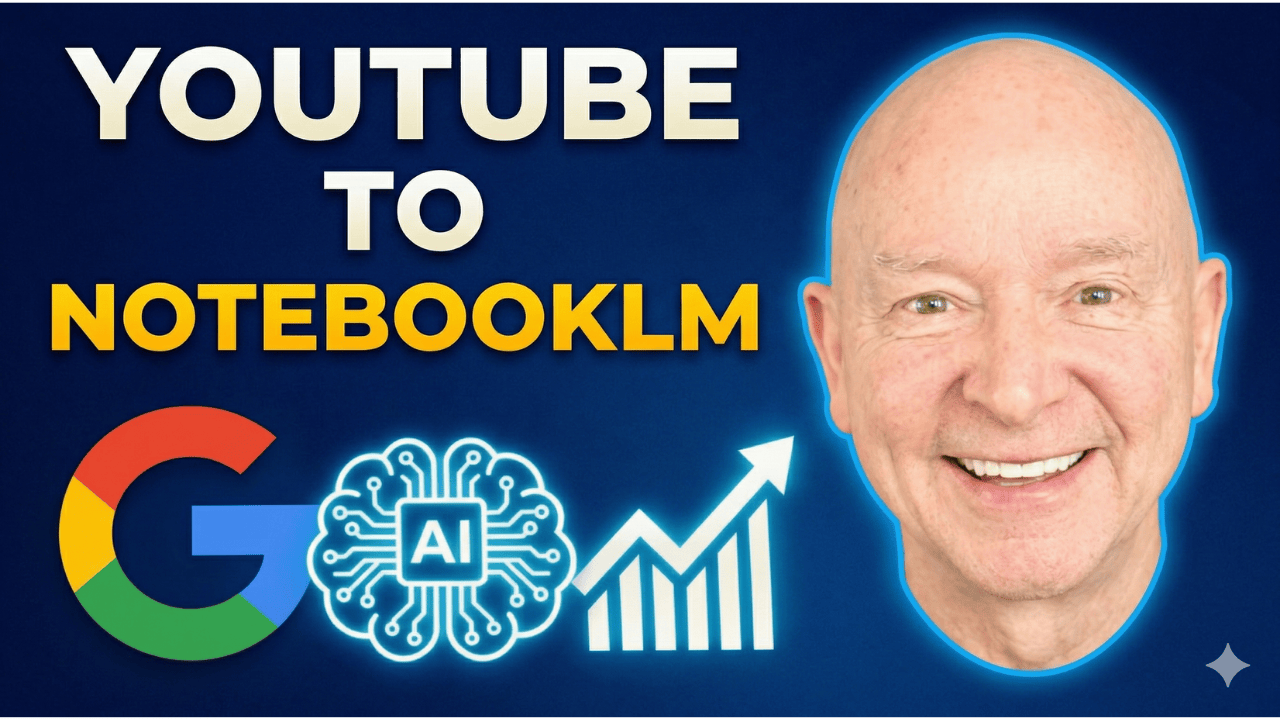
Every so often, a tool comes along that feels like a genuine “wow” moment. If you are a content creator, a professional speaker, or what I like to call a “creative conductor,” you are currently standing on the edge of a massive opportunity. Google’s NotebookLM is transforming from a simple note-taking assistant into a powerhouse for production, learning, and business growth.
In this guide, we’re diving deep into how you can use NotebookLM and integrated AI technologies to organize your knowledge, create interactive content, and gain a competitive edge in your industry. Whether you’re looking to turn old interviews into fresh insights or create complex infographics with a single click, the future of content creation is officially here.
The Power of NotebookLM for Creative Conductors
NotebookLM is part of the Google Gemini family, and its primary strength lies in its ability to act as a grounded AI. Unlike standard chatbots that pull information from the entire internet (and sometimes hallucinate), NotebookLM works specifically with the sources you provide. This makes it an incredible asset for professional speakers and creators who have years of proprietary content—videos, podcasts, and articles—that they want to repurpose.
Watch the full video: https://www.youtube.com/watch?v=zZ4ljeUJAZM
The interface is designed for maximum efficiency, divided into three main areas:
-
The Source Panel (Left): This is where you feed the beast. You can upload MP4s, MP3s, PDFs, and even link directly to YouTube channels or websites.
-
The Chat Interface (Center): This is your direct line to Gemini. You can ask questions, refine your ideas, and prompt the AI to summarize or expand on your specific sources.
-
The Studio (Right): This is where the magic happens. The Studio allows you to generate high-level outputs like audio overviews, mind maps, and data tables.
Transforming YouTube Content into a Knowledge Base
One of the most powerful features discovered recently is the ability to aggregate multiple YouTube videos into a single notebook. Imagine taking ten different videos on a complex topic—perhaps even videos with opposing viewpoints—and putting them into one section. NotebookLM can then cross-reference these videos instantly.
This is a game-changer for learning how to learn. Instead of watching hours of footage, you can ask the AI, “What does Video A say about this topic compared to Video B?” This allows you to synthesize information at a speed that was previously impossible. It’s not just about saving time; it’s about deep comprehension and finding the “gems” buried in long-form content.
Case Study: Reviving Classic Content
Consider the example of an old interview with the late Dr. Wayne Dyer. By uploading the audio or transcript of a decades-old interview into NotebookLM, you can extract timeless wisdom and turn it into modern-day blog posts, social media snippets, or even a structured curriculum. The AI allows you to interact with the legacy of great thinkers by treating their recorded words as a living database.
Advanced Features in the NotebookLM Studio
The “Studio” area in NotebookLM has recently added features that move it beyond text generation. These tools are designed to help you visualize and internalize information in ways that suit different learning styles.
1. Interactive Audio Overviews
The audio overview feature creates a sound recording of your data using voices that sound remarkably human. This isn’t just a text-to-speech robot; it’s an interactive experience. You can actually interrupt the audio to ask a question. The AI actors will pause and answer you based strictly on the information you’ve loaded. This is a massive leap forward for auditory learners and those looking to vet their content for clarity.
2. Mind Mapping and Infographics
For visual thinkers, the mind map feature is a dream come true. Inspired by the work of Tony Buzan, these maps provide an bird’s-eye view of your project, helping you see the connections between disparate ideas. Additionally, the tool can now generate infographics. In a world where attention spans are shrinking, infographics are “table stakes.” Whether you’re posting on LinkedIn or writing a blog, a visual representation of your data ensures your message sticks.
3. Quizzes and Flashcards
If you are using AI for language study or professional certification, the flashcard and quiz generators are invaluable. You can take a complex technical manual and instantly produce a set of study tools. For language learners, you can create cards that flip between your native tongue and your target language (like Mexican Spanish vs. Castilian Spanish), ensuring you capture regional nuances.
The Shift to Interactive Media: The Synthesia Connection
While NotebookLM handles the data and organization, tools like Synthesia are taking the “human” element of AI to the next level. We are moving away from a world of passive video watching and into a phase of interactive mediums.
Imagine a CEO who needs to be in ten different cities at once. With digital avatars, they can deploy a version of themselves that not only speaks the local language but can also:
-
Pause for live questions.
-
React in real-time to audience feedback.
-
Handle live Q&A sessions with a crowd.
This technology gives creators a massive competitive advantage. Instead of a static slideshow, you have a moving, reacting digital presence that looks and sounds professional. It’s about taking the “Human Speaker’s Edge” and magnifying it through the lens of artificial intelligence.
Key Takeaways for Content Creators
-
Use Grounded Sources: Always feed NotebookLM your own high-quality sources (videos, transcripts, docs) to prevent AI hallucinations and ensure the output is uniquely yours.
-
Leverage the Studio: Don’t just settle for text summaries. Use the mind maps to organize your thoughts and the infographics to engage your audience visually.
-
Think Interactively: Explore audio overviews and digital avatars to turn passive content into an engaging, two-way conversation.
-
Niche Down with Language: Use AI to customize your content for specific dialects and regions, making your business more accessible globally.
Conclusion
The tools available to us today are nothing short of “gobsmacking.” By combining the organizational power of NotebookLM with the interactive capabilities of AI avatars, you can build a business that is more efficient, more creative, and more impactful. We are no longer just creators; we are conductors of a vast digital orchestra.
The best way to understand the power of these tools is to see them in action. From the animation of slide decks to the real-time reactions of digital humans, the gap between “technology” and “human connection” is closing fast. Are you ready to take your content to the next level?
Watch the full video to see a live demonstration of these features and start building your own AI-powered notebook today!
Here is the full transcript for your convenience:
Terry Brock [00:00:00]:
Know, every so often in life, you get a chance to see something that is pretty amazing and just gobsmacking wow and wow ville. And I’ve got one for you on this with NotebookLM and what you can do with it. For content creators, for creative conductors that we are, you have an opportunity to use this tool in some magnificent ways that are amazing. I’m gonna give you a special tool that I just discovered today. This is actually a couple hours ago. I gotta give you this. It’s about how you can take all kinds of videos that are available on YouTube and put them into one section so that NotebookLM will be able to grab from all of them very quickly. This will be great for learning.
Terry Brock [00:00:38]:
This is gonna be great for production. It’s gonna give you a lot of capability. Plus, I wanna show you some other features they’ve added just recently on that. So lots of good coming in on it. Let’s go for this. And this one’s gonna be a little bit different. Matter of fact, before I even get into it, this is gonna be a video of just you and me, okay? Don’t tell any of the grown ups about it, okay? It’s just us kids here. We’re gonna talk about what we can do with this, and I wanna give you the way you can use this to build your business in a powerful way.
Terry Brock [00:01:01]:
I have been a professional speaker, content creator for a long, long time, and I’ve been impressed with what they’re doing here. Now this is what we’re looking at right now. This is my notebook LM. You’ll see different projects that I have going there. Matter of fact, here’s one I did just a little while ago. I did a video on this, an interview I did long ago with Doctor. Wayne Dyer, a psychologist who is absolutely wonderful. He’s no longer with us, unfortunately, but he gave some real gems and ideas.
Terry Brock [00:01:29]:
I took what he did on the interview that I had years ago, used this to take a lot of good information. I’m gonna show you how you can get to that right away. So some good information there that you can use. And also, here’s some others that I put in, as you can see, put in there. Here’s one I’ll take a look at right now that’s pretty good about human speakers and what they’re like. And you can see what this is doing and how it works when you take a look at the capabilities that are there. It’s pretty flat out amazing. On NotebookLN, I’ll go over this in case you haven’t seen it before.
Terry Brock [00:02:01]:
Over on the left side, you’ll see that you have your capability for the sources. You put this in here. This can bring in sources like MP4s, MP3s. You can bring in pictures. You can bring in websites if you want. You can just put that in there in the URL and go in, particularly YouTube channels. That’s nice. Then here in the center, you can see you’ve got the capability to look at the chat where you’ll be able to put in information there for the computer to use.
Terry Brock [00:02:27]:
And particularly, this is nice when you can move down here and you can say, okay, I wanna put in my prompts down here and tell it what you wanna do. I’ve been pretty impressed with what it can do, putting in the prompt to do this or give me this kind of a background, or tone it down here, or zoom in on this, or give me these kind of references. Kinda like having access to Gemini, which being coming from. Because NotebookLM is part of the Google family from Gemini and others that are giving us a lot of capabilities there and a lot of real nice features. And then over on the right side here, you’ll see you have the studio, which gives you And then over on the right side here, you’ll see you have the studio, which gives you the ability to put in a lot of information. And when you look at what they’re doing on this, it is just flat out amazing the kinds of things available. Like here, for instance, an audio overview, so you can hear a sound recording of it with different voices. Very, very nice.
Terry Brock [00:03:13]:
And you can question. And then the actors that are in there, the voices that sound like real human beings, can come back and answer you based on the information that you’ve loaded. This is real good so you don’t have that hallucination going on. This is also real good so you could take several different topics, several different videos about a certain topic, maybe some opposing views. So they could say, what about this topic? And they could say, well, this side does this, this side does that. For learning how to learn and get the kind of needs you need you have met, this is fabulous. And I love the capabilities here. It also has the ability for a mind map.
Terry Brock [00:04:05]:
Think about this. Tony Buzan would be proud. You can create those so that you get a good overall view of what’s going on in a particular project. And it’s right there. Think about you creating this for your target market and what you’re creating to go out in the market. A report lets you see what’s going on. You hear what it is, gives you the text for that. You can also look at flashcards.
Terry Brock [00:04:25]:
Hey, those are great. If you’re trying to learn a particular subject, you can say, okay, I wanna know about this and create some flashcards. This is particularly good for language study. So you can say, here’s how you say it on one side. Here’s what it is in the other language and what it means going back and forth. Really nice for that. You can build a quiz. Real handy.
Terry Brock [00:04:45]:
And one thing I’m very impressed with is an infographic. We’ll be talking about that more later, but infographics now are becoming table stakes in many areas. If you’re creating content that is spoken word, this helps because then people can see it. If you’re creating text only, maybe with a blog or maybe a LinkedIn post, you can put an infographic in there that can work very nicely for you as well. And it gets extra attention and does a lot of good things for you then. And finally, a data table that’s in there. The data table gives you the ability to see a lot of different information organized in a nice way. So I wanna take a look at that, but show you some of the features that this has when you look at what’s available.
Terry Brock [00:05:27]:
Like for instance, I put one together. I just loaded this and I went into the infographic, into the area for the video. And I said, okay, I want you to have the creative conductor and put that in there and give me a special video. When you take a look at this, you will be amazed at the capability that it has. It starts out like this. And as you can see, it gives you the ability to see some of the features that are there, how it works, and the capabilities that are in it. And I think that you’ll see, hey. There’s some really good things on it.
Terry Brock [00:05:56]:
Let’s take a look at that right here. As you can see, here it is with the screen that is on there. So it gives you the animation that it puts together, and it lets you take a look at it. I want you to listen to this and see what it’s like and see the kind of things that are available with this when we go back and we play the video.
AI Voice [00:06:16]:
Synthesia, a leading platform for creating AI generated digital humans, just released an update that moves video from a passive watching digital humans, just released an update that moves video from a passive watching experience into an interactive medium. We are looking at a phase of technology where a digital avatar listens and reacts in real time. Imagine a company deploying a digital version of their CEO into 10 different cities at exactly the same time. Each one of those avatars can speak the local language, pause for questions, and handle live q and a to an equity with the crowd. For those who present on stages or lead training sessions, the two way
Terry Brock [00:06:45]:
Okay. I’m gonna pause it right there. But you see, this has some enormous capabilities. It’s gonna give you the abilities. You see that one little picture there? It lets you see the kind of, capabilities that you would have in some certain situations, being able to say, okay. This is what we’re going to do. We’re going to put this together, and I want moving pictures. You have something that looks a whole lot better than just a mere slideshow.
Terry Brock [00:07:07]:
This takes your video to a whole another level, and it gives you a real competitive advantage over what others are doing. Oh, you gotta see some of the things that it can do with a slide deck. When you go into the slide deck up here, for instance, and I come in here, you’ll see I can click on this and be able to say, okay, right up here in the upper right corner, I wanna make sure that I see that. And when we take a look at it, let’s you set this up and design it so that you’re able to use it in a specific way to make sure that you’re getting exactly what you need with it, and it can show you the kind of features that are there. Like, for instance, we come back on this here. You’ll see how we can put in here for the capabilities to look at the format, be able to put in a different input in different languages. Hey. That’s really nice.
Terry Brock [00:07:51]:
You can now create it and run it through for your own language, whatever that might be. For me, it’s native American English. I can put that in there, but I’m doing a lot more now in Spanish. And you can put in there the type of Spanish you want. For instance, Mexican Spanish, which might be different and is different than other areas in the world when they speak it. Just like English. Hey. We here in The United States speak a brand of English.
Terry Brock [00:08:15]:
You go over to England, and you understand why George Bernard Shaw said that The US and The UK are two countries separated by a common language. I think he was right. And we can see a lot of capabilities there with that. You can also put it in here in the length, keeping it default or short. I tend to like the short because with this being shorter, it helps people to understand, hey, this is good, but we wanna come back and take a look at the other features that are in there. So all of this gives you some really nice capabilities of what to put together and how you can do it. And one of the things that’s really hot about this one is using the infographics. You can put infographics together with this very easily.
Terry Brock [00:08:55]:
And let me show you what we can do with that. So if I put some things here, I just put all I had to do was click on infographic. So up here where it shows you infographic, you simply click on that, and then it goes through, works its magic, so that you can then see what it’s like. And what it comes up with is really pretty amazing. And you’ll see right here it has the human speaker’s edge in that. So I’m gonna click on that one that has been created now and take a look at it, and you’ll see this one gives me, right here, for instance, a mind map. So I can click on that, and it comes out, lets me see other capabilities. When I just click on the button, notice this, click right here on the button, and it gives me the ability to see an expanded mind map of it to help you understand more what’s going on.
Terry Brock [00:09:35]:
This has some real strong capabilities when you think about it for you learning a particular topic. Mind mapping is one of the best ways to wrap your brain around it, if you will, and understand what’s going on. Now you can use this to help describe what’s happening to your audiences. They can use it. I’m thinking that Tony Buzan, the creator of mind mapping, would be proud to see that. And let’s take a look at those infographics. Those are really nice when we look at the capabilities of what is there and what it can show us. It lets us see a lot of nice features.
Terry Brock [00:10:05]:
Again, we’re over here in the studio area, and that studio area gives us the ability to take a look at some of the edge that we have, what it can do in public speaking in the Internet area, when we see it. This gives you the ability to see a nice infographic. It created this just based on what was put in there. All we had to do is feed it in there. It created it on its own. The beauty, however, of doing this with the tools here, like notebook LM, gives us the ability to put in more in the prompt. Put in more words, or put in less words, or put an emphasis on this, or give me pictures of people doing this or that. This gives us a lot of capability.
Terry Brock [00:10:44]:
Now we can do that with other tools, but notebook LM, I have found, tends to often produce a little bit better quality than I’m getting from other tools. And it all depends on the prompts, but it gives you and me some real strong capability. So these are some of the things you can do with notebook l m. It is powerful. But even more than that, there’s something I wanna show you that just came out that recently and gives you the ability to do even more. Recently and gives you the ability to do even more. Okay. I’m over here on the Google Chrome and looking at what is available.
Terry Brock [00:11:15]:
There’s a Chrome extension called YouTube to NotebookLM. This is one you wanna write down. It is phenomenal, and the capabilities that it has because it gives you the ability to look at several different YouTube channels. You can put it in there. And as an overview, it talks to you about what it can do here, that you can send note YouTube to Notebook LM, save videos, sync YouTube channels to notebook l m, and manage my notebook, any notebook with video very, very easily. This gives you the ability to say, hey, here’s a topic I’m studying. It’s a very important topic, and I like this video, this one, this one, and this one too. They have some different opinions on the topic, but I wanna hear from all of them.
Terry Brock [00:11:58]:
You can just take those with this Google Chrome extension, which is free, by the way, and you can then pull it in there. It will create a notebook of those and then be able to pull from just those particular videos. So if you’ve got an issue, you want to learn some topic and you really like what this person said. And this person over here, she’s really good on this topic. She knew that. And this guy over here, he knows what he’s talking about on that. They have some slightly different views on some areas. They have combined views where it’s similar in other areas.
Terry Brock [00:12:27]:
We can do that now. This Chrome extension is really good. So you just wanna go there and you wanna put in the YouTube to NotebookLM Chrome extension. It is something that is going to help you enormously. So this is what’s going on with NotebookLM. It is definitely a groundbreaking, oh my goodness, wow, kind of tool that’s gonna help you with learning, with your promotion in ways that we haven’t done. However, here’s the key and the warning. It’s very easy now for a lot of people to get hold of this.
Terry Brock [00:12:57]:
They’re gonna use it. Your competition will know about this. You wanna make sure you come up to speed quickly on it. You have a window of opportunity. Learn it. Understand what’s there. This is something we do and offer at our Stark Raving Entrepreneurs, where we talk to people about this and how to use it. You ought to bounce over and take a look.
Terry Brock [00:13:13]:
This can help you a lot in your future. Stark Raving Entrepreneurs. Take a look at what we’re doing there, starkravingentrepreneurs.com, we being myself and Gina Carr, my partner on this, and you get a chance to see what’s going on. And also, if you enjoy this video, please, it would mean a lot to us for you to like it and to subscribe. And then share it with some others because you will be the hero. As they see what you shared, they’ll realize, hey, this is a pretty good thing, and I’m glad we got it. And we’ve got a little gift for you here that we wanna give to you and make sure it’s available for you. AI tools for biz.
Terry Brock [00:13:47]:
This is where you’re gonna be able to get some information that you need that can help you in some major ways. So get more done, get a lot in there. And it’s at aitoolsforbiz.com. And that’s all lowercase, aitools,thenumberfour,biz.com. No spaces in there. We talk about tools like this and many others as well so you can use it. So, my friend, this is a major time for you and me. The world is changing.
Terry Brock [00:14:17]:
NotebookLM and other tools out there are great, particularly this NotebookLM with the now available YouTube to NotebookLM extension, the Chrome extension. Take a look at that. And the video I talked to you about before, this is one you’ll wanna share with some friends. They do it, and they’re gonna like it that you do it. Right over here, if you’re watching this on YouTube, and if you’re catching it elsewhere, jump over there and take a look at what is available. I’m Terry Brock. Thank you very much for joining us, and I look forward to hearing from you. Leave your comments below.
Terry Brock [00:14:48]:
We will look forward to seeing you a little bit later.
And here’s the full transcript in Spanish
Sabes, de vez en cuando en la vida, tienes la oportunidad de ver algo que es realmente asombroso y simplemente sorprendente, de esos momentos de “wow”. Y tengo uno para ti con NotebookLM y lo que puedes hacer con él. Para creadores de contenido, para los directores creativos que somos, tienes la oportunidad de usar esta herramienta de formas magníficas que son increíbles. Te voy a dar una herramienta especial que acabo de descubrir hoy mismo. De hecho, hace un par de horas. Tengo que contarte esto. Se trata de cómo puedes tomar todo tipo de videos que están disponibles en YouTube y ponerlos en una sola sección para que NotebookLM pueda utilizarlos todos muy rápidamente. Esto será genial para aprender.
Esto también será excelente para la producción. Te va a brindar mucha capacidad. Además, quiero mostrarte otras funciones que han agregado recientemente. Así que vienen muchas cosas buenas en este episodio. Vamos a por ello. Esta vez va a ser un poco diferente. De hecho, antes de comenzar, este será un video solo entre tú y yo, ¿de acuerdo? No le digas a los adultos, ¿vale? Solo estamos nosotros los niños aquí. Vamos a hablar sobre lo que podemos hacer con esto, y quiero darte la forma en que puedes usar esto para hacer crecer tu negocio de manera poderosa.
He sido orador profesional y creador de contenido durante mucho, mucho tiempo y estoy impresionado con lo que están haciendo aquí. Ahora, esto es lo que estamos viendo en este momento. Este es mi NotebookLM. Verás diferentes proyectos que tengo allí. De hecho, aquí hay uno que hice hace poco. Hice un video sobre esto, una entrevista que hice hace mucho tiempo con el Dr. Wayne Dyer, un psicólogo que era absolutamente maravilloso. Lamentablemente, ya no está con nosotros, pero compartió verdaderas joyas e ideas.
Tomé lo que él dijo en la entrevista que tuve años atrás, utilicé esto para capturar mucha buena información. Voy a mostrarte cómo puedes acceder a eso de inmediato. Así que hay buena información que puedes usar. Y también, aquí hay otros que he incluido, como puedes ver, allí están. Este es uno que voy a revisar ahora, que es bastante bueno sobre oradores humanos y cómo son. Y puedes ver lo que esto hace y cómo funciona cuando ves las capacidades que ofrece. Es realmente asombroso. En NotebookLM, te lo explicaré por si no lo has visto antes.
A la izquierda verás que tienes la posibilidad de agregar tus fuentes. Colocas tus fuentes aquí. Puedes añadir archivos como MP4, MP3. Puedes agregar imágenes. Puedes añadir sitios web si lo deseas. Solo introduces la URL allí y listo, especialmente canales de YouTube. Eso es genial. Luego, aquí en el centro, puedes ver que tienes la opción de revisar el chat donde podrás ingresar información que la computadora usará.
Especialmente, esto es útil cuando te desplazas aquí abajo y puedes decir: “ok, quiero ingresar mis prompts aquí” y decirle lo que deseas hacer. He quedado muy sorprendido con lo que puede hacer, ingresando el prompt para que haga esto o me dé este tipo de antecedentes, o que baje el tono aquí, o que enfoque en esto, o que añada referencias. Es como tener acceso a Gemini, porque NotebookLM forma parte de la familia Google, de Gemini y otros que nos brindan muchas capacidades y características realmente agradables. Y luego, al lado derecho, verás que tienes el estudio, que te permite poner mucha información. Y cuando ves lo que hacen con esto, es simplemente increíble la clase de cosas disponibles. Por ejemplo, aquí hay una descripción de audio, así puedes escuchar una grabación sonora con diferentes voces. Muy, muy bueno.
Y puedes preguntar. Los actores que están ahí, las voces que suenan como personas reales, pueden responderte en base a la información que has cargado. Esto es muy bueno porque así no se producen alucinaciones de la IA. Además, puedes tomar diferentes temas, varios videos sobre un tema en particular, tal vez con opiniones opuestas. Así puedes preguntar sobre un tema y decir: bueno, este lado opina esto, este otro lado opina aquello. Para aprender cómo aprender y obtener lo que necesitas, esto es fabuloso. Y adoro las capacidades que tiene. También tiene la función de mapa mental.
Piénsalo. Tony Buzan estaría orgulloso. Puedes crear mapas mentales para tener una visión general de lo que sucede en un proyecto determinado. Y está justo ahí. Piensa en crear esto para tu mercado objetivo y lo que estás elaborando para lanzar al mercado. Un informe te permite ver qué está pasando. Puedes escucharlo, te da el texto de eso. También puedes ver tarjetas de memoria.
Son geniales. Si intentas aprender un tema en particular, puedes decir: ok, quiero saber sobre esto y crear tarjetas de memoria. Esto es especialmente útil para el estudio de idiomas. Así puedes poner cómo se dice en un lado, el significado en el otro idioma y su explicación, yendo de un lado a otro. Muy útil para eso. Puedes generar un cuestionario. Realmente útil.
Y algo que me impresiona mucho es el infográfico. Hablaremos más sobre eso después, pero los infográficos se están convirtiendo ahora en un elemento básico en muchas áreas. Si estás creando contenido hablado, esto ayuda porque la gente también puede verlo. Si creas solo texto, tal vez un blog o una publicación en LinkedIn, puedes poner un infográfico allí que funcione muy bien para ti también. Llama más la atención y te aporta muchos beneficios. Y, por último, una tabla de datos. La tabla de datos te permite ver mucha información organizada de manera agradable. Quiero mostrarte eso y algunas de las funciones que tiene.
Por ejemplo, preparé uno. Simplemente lo cargué y fui al área de infográfico, en el área de video. Y dije: ok, quiero que incluyas “el director creativo” y lo pongas allí y me des un video especial. Cuando lo ves, te sorprenderá la capacidad que tiene. Comienza así. Y como puedes ver, te permite ver algunas de las funciones que están allí, cómo funciona y lo que puedes hacer. Creo que verás que hay cosas realmente buenas.
Vamos a mirarlo aquí mismo. Como puedes ver, aquí está la pantalla. Así que te da la animación que crea y te deja verla. Quiero que la escuches y veas de qué se trata y qué puedes hacer con esto.
Synthesia, una plataforma líder para crear humanos digitales generados por IA, acaba de lanzar una actualización que convierte el video de una experiencia pasiva a un medio interactivo. Estamos viendo una fase de la tecnología donde un avatar digital escucha y reacciona en tiempo real. Imagina una empresa lanzando una versión digital de su CEO en 10 ciudades diferentes al mismo tiempo. Cada uno de esos avatares puede hablar el idioma local, detenerse para preguntas y manejar preguntas y respuestas en vivo con el público. Para quienes presentan en escenarios o lideran sesiones de formación, la interacción bidireccional…
Bien, lo pausaré aquí. Pero como ves, esto ofrece enormes capacidades. Te da habilidades. ¿Viste esa imagen ahí? Te deja ver la clase de capacidades que podrías tener en ciertas situaciones, pudiendo decir: ok, esto es lo que vamos a hacer. Vamos a armar esto, y quiero imágenes en movimiento. Tienes algo que se ve mucho mejor que una simple presentación de diapositivas.
Esto lleva tu video a otro nivel, y te otorga una verdadera ventaja competitiva frente a otros. Oh, tienes que ver lo que puede hacer con una presentación. Cuando entras en la presentación aquí arriba, por ejemplo, y accedes, verás que puedo hacer clic aquí y decir: ok, quiero asegurarme de ver eso en la esquina superior derecha. Cuando revisamos esto, te permite configurarlo y diseñarlo para que puedas usarlo de una manera específica y adaptar justamente lo que necesitas, mostrando las características necesarias. Por ejemplo, aquí puedes cambiar el formato, poner una entrada en diferentes idiomas. Eso es genial.
Ahora puedes crear y ejecutarlo en tu propio idioma, cual sea. Para mí, es inglés americano nativo. Así lo pongo, pero ahora hago mucho más en español. Y puedes especificar el tipo de español. Por ejemplo, español mexicano, que puede ser diferente y lo es a otras variantes en el mundo hispanohablante. Al igual que el inglés. Aquí en Estados Unidos hablamos una versión de inglés.
Si vas a Inglaterra, comprendes por qué George Bernard Shaw dijo que Estados Unidos y Reino Unido son dos países separados por un mismo idioma. Creo que tenía razón. Podemos ver muchas capacidades con eso. También puedes poner la extensión del texto, mantenerlo por defecto o hacerlo corto. Yo prefiero las versiones cortas porque así la gente entiende rápido, aunque también quieras revisar otras funciones. Así que todo esto te da muy buenas opciones para armar lo que quieras. Y una de las cosas más interesantes es usar infográficos. Puedes crearlos fácilmente con esto.
Déjame mostrarte lo que podemos hacer. Si pongo cosas aquí, solo tengo que hacer clic en infográfico. Así que arriba donde dice “infográfico”, solo haz clic y ya, y comienza a trabajar su magia para que puedas ver el resultado. Lo que obtiene es realmente asombroso. Verás que justo aquí aparece la ventaja de los oradores humanos. Así que hago clic en ese que ya fue creado y veo, aquí, por ejemplo, un mapa mental. Así que puedo hacer clic ahí y sale, mostrándome otras capacidades. Solo haz clic en el botón, observa, y permite ver un mapa mental expandido que ayuda a entender mejor qué sucede.
Esto tiene capacidades muy fuertes para aprender un tema en particular. El mapeo mental es de las mejores formas de analizarlo y comprenderlo. Ahora puedes usar esto para explicar lo que ocurre a tus audiencias. Ellos también podrán usarlo. Creo que Tony Buzan, el creador de los mapas mentales, estaría orgulloso de verlo. Veamos los infográficos. Son muy buenos cuando revisamos las capacidades de lo que hay allí y lo que muestra. Deja ver muchas funciones agradables.
Nuevamente, estamos en el área del estudio, y esa zona nos permite obtener ventaja y ver lo que se puede hacer en el área de oratoria pública por Internet cuando lo revisamos. Esto permite ver un buen infográfico. Lo creó solo con lo que introdujimos allí. Solo lo alimentamos, ¡y lo hizo solo! Lo bueno de hacer esto con herramientas como NotebookLM es que podemos poner más en el prompt, usar más palabras o menos, enfatizar en esto, pedir imágenes de personas haciendo tal o cual cosa. Nos da mucha capacidad.
Ahora, eso también se puede hacer con otras herramientas, pero he descubierto que NotebookLM suele darme resultados de mejor calidad que otras herramientas. Todo depende del prompt, pero nos otorga una capacidad fuerte. Así que estas son algunas cosas que puedes hacer con NotebookLM. Es poderosa. Pero aún más, quiero mostrarte algo nuevo que acaba de salir y te permite hacer aún más.
Ok, ahora estoy en Google Chrome, viendo lo que está disponible. Hay una extensión de Chrome llamada ‘YouTube to NotebookLM’. Anótala. Es fenomenal, y las capacidades que ofrece son impresionantes porque te permite ver varios canales de YouTube distintos. Puedes agregarlos allí. Y en su resumen te cuenta lo que puede hacer: puedes enviar videos de YouTube a NotebookLM, guardar videos, sincronizar canales de YouTube con NotebookLM y administrar cualquier notebook con video con mucha facilidad. Esto te permite, por ejemplo, decir: “Oye, este es un tema importante que estoy estudiando y me gusta este video, aquel y el otro también”. Tienen opiniones diferentes, pero quiero escuchar a todos.
Puedes tomar esos videos con esta extensión gratuita de Chrome y agregarlos ahí. Creará un notebook con esos videos, y luego podrás consultar solo esos videos en particular. Si tienes un tema que quieres aprender y realmente te gustó lo que dijo esta persona, y esta otra persona también es muy buena, y este otro sabe mucho… Tienen puntos de vista ligeramente diferentes en algunas áreas, opiniones parecidas en otras.
Ahora podemos hacer eso. Esta extensión de Chrome es muy buena. Así que solo tienes que buscar la extensión de Chrome “YouTube to NotebookLM”. Es algo que te ayudará enormemente. Así que esto es lo que está pasando con NotebookLM. Realmente es una herramienta revolucionaria, de esas que te hacen decir “wow”, que te ayudará con el aprendizaje y la promoción de maneras que nunca antes. Pero aquí va la clave y la advertencia. Es muy fácil ahora que mucha gente acceda a esto.
La competencia se enterará. Debes ponerte al día rápido sobre esto. Tienes una ventana de oportunidad. Aprende, comprende lo que hay. Esto es lo que hacemos y ofrecemos en Stark Raving Entrepreneurs, donde hablamos de esto y de cómo utilizarlo. Deberías pasarte a verlo.
Esto realmente puede ayudarte mucho en tu futuro. Stark Raving Entrepreneurs. Echa un vistazo a lo que hacemos en starkravingentrepreneurs.com; somos mi socia Gina Carr y yo, y puedes ver todo lo que ocurre allí. Y también, si te gustó este video, por favor, sería genial si lo aprecias y te suscribes. Y compártelo con otros porque serás el héroe. Cuando vean lo que compartiste, se darán cuenta de que es algo muy bueno.
Y tenemos un pequeño regalo para ti que queremos darte y asegurarnos de que esté disponible. AI Tools for Biz.
Aquí es donde obtienes la información que necesitas que puede ayudarte de manera importante. Aprovecha al máximo, aprende mucho. Está en aitoolsforbiz.com. Todo en minúsculas, aitools, luego el número cuatro, biz.com. Sin espacios. Hablamos de herramientas como esta y muchas más para que las puedas aprovechar.
Así que, mi amigo, este es un momento importante para ti y para mí. El mundo está cambiando.
NotebookLM y otras herramientas son geniales, especialmente este NotebookLM con la extensión Chrome YouTube to NotebookLM que ya está disponible. Échale un vistazo. Y el video del que te hablé antes, compártelo con tus amigos. Hazlo y te lo agradecerán. Si ves esto en YouTube, y si lo ves en otra parte, pásate por allí y mira todo lo disponible. Soy Terry Brock. Muchas gracias por acompañarnos y espero tus comentarios abajo.
¡Nos vemos pronto!