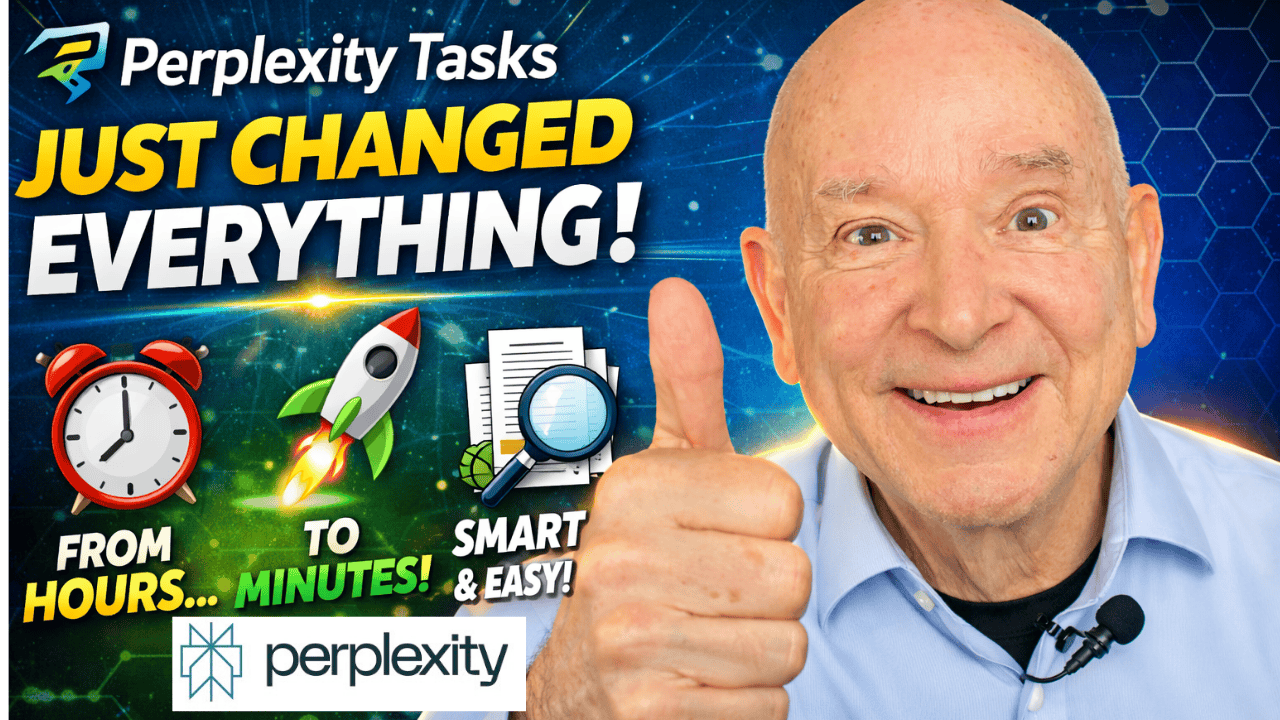
Hey there, friend! Welcome to Stark Raving Entrepreneurs. I’m Terry Brock, and I’m truly glad you’re here with me—whether you’re listening in on audio while you tackle your day or watching the video, maybe with a cup of coffee in hand. Today, we’re talking about something that’s a real game-changer for creators and entrepreneurs: a tool I’ve been exploring that makes finding, organizing, and getting the right information for your content so much easier.
This isn’t just about shiny new tech—it’s about transforming how you work, so you can focus on what matters most for your business and your audience.
I’ve been writing and doing the necessary research since back in high school ldays.
I know, long time!
I find this feature from Perplexity is amazing and so helpful to give me just the research I need, when I need it.
This is something you have to look into and not neglect.
Before we get too deep into things, I want to make sure you don’t miss this:
Go ahead and bookmark that link or check it out now—it’ll give you a closer look at what I’m sharing, and you can see some of these tools in action.
You know, as creators, there’s always that moment at the beginning, staring at the blank screen with the blinking cursor. I
t’s easy to feel stuck, wondering, “What’s next? How can I come up with something fresh—something that isn’t just a repeat of what everyone else is doing?” I’ve been there more times than I can count, and it doesn’t matter if you’ve got years of experience or you’re just starting out. But here’s the good news: with some advancements in AI tools—specifically what I’m using with Perplexity Tasks—those blank-cursor moments can become a lot less intimidating.
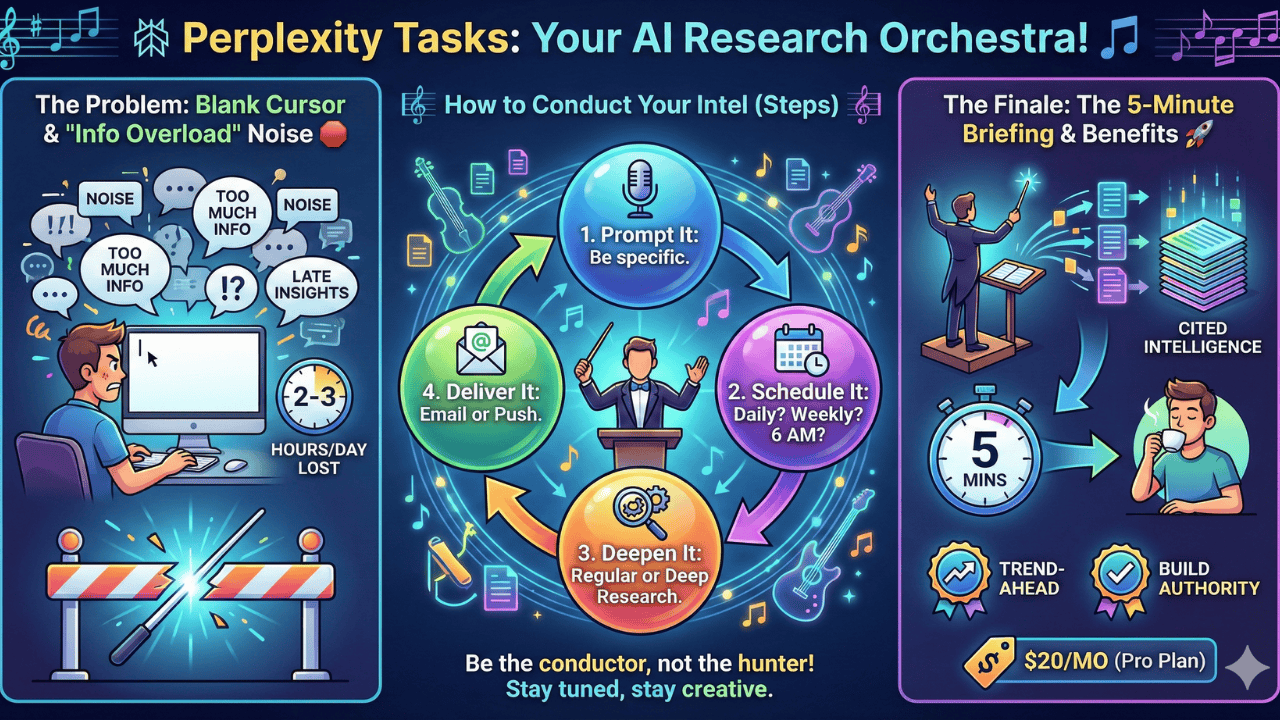
Let’s keep it real here. I’ve spent countless hours searching for new trends, hot topics, or the latest updates in business, AI, and crypto. Maybe you have too! The problem is, most of us are competing with people who seem to get the inside scoop before anyone else—and by the time we catch up, the conversation has already moved on.
That’s where Perplexity Tasks really makes a difference. What it does is deliver customized intelligence straight to you, on your schedule, and it gives you just what you need—no more, no less. This means you can finally say goodbye to spending two or even three hours a day just hunting for what’s trending.
I’m a big believer in making tools work for you. I set up Perplexity Tasks with topics I care about—stuff like marketing, business trends, AI, and, yes, the wild world of cryptocurrency.
I tell it exactly what I’m looking for, and when I want it delivered.
For me, that means every day, often at some pretty early hours—but hey, you get to set your own preferences. Maybe you just want a roundup once a week, or maybe a daily morning briefing fits your style. You’re in charge, which is honestly how it should be.
Another thing I love is how Perplexity doesn’t just dump raw info or gossip on you.
One of the best parts of what Perplexity does is that it give you the information with sources—it could be scholarly articles, industry journals, or reputable business news.
That means when you see an update, you know exactly where it’s coming from. No more wondering if you’re basing your content on hearsay. That’s a big relief, especially in a world overflowing with noise and misinformation.
Now, I won’t sugar-coat it—there is a cost to this tool. It’s not part of a free plan, but the value is absolutely there if you’re serious about creating quality content efficiently.
Business is all about ROI, right? I always look at what I’m getting back for what I spend, and I can tell you that shaving off hours of research so I can focus on producing and connecting with my audience is worth every penny.
Let me walk you through how simple it is: you pick your topics, set the frequency and delivery time, and choose how you want to get notified—email, push notification, or both. You can even select how deep you want the research to go.
On those days when you want the real deep dive, it’ll do the hard work for you and have everything ready by the time you need it. That’s powerful. And if you ever need to pause things while you’re on vacation or at a conference, that’s just a click away, too.
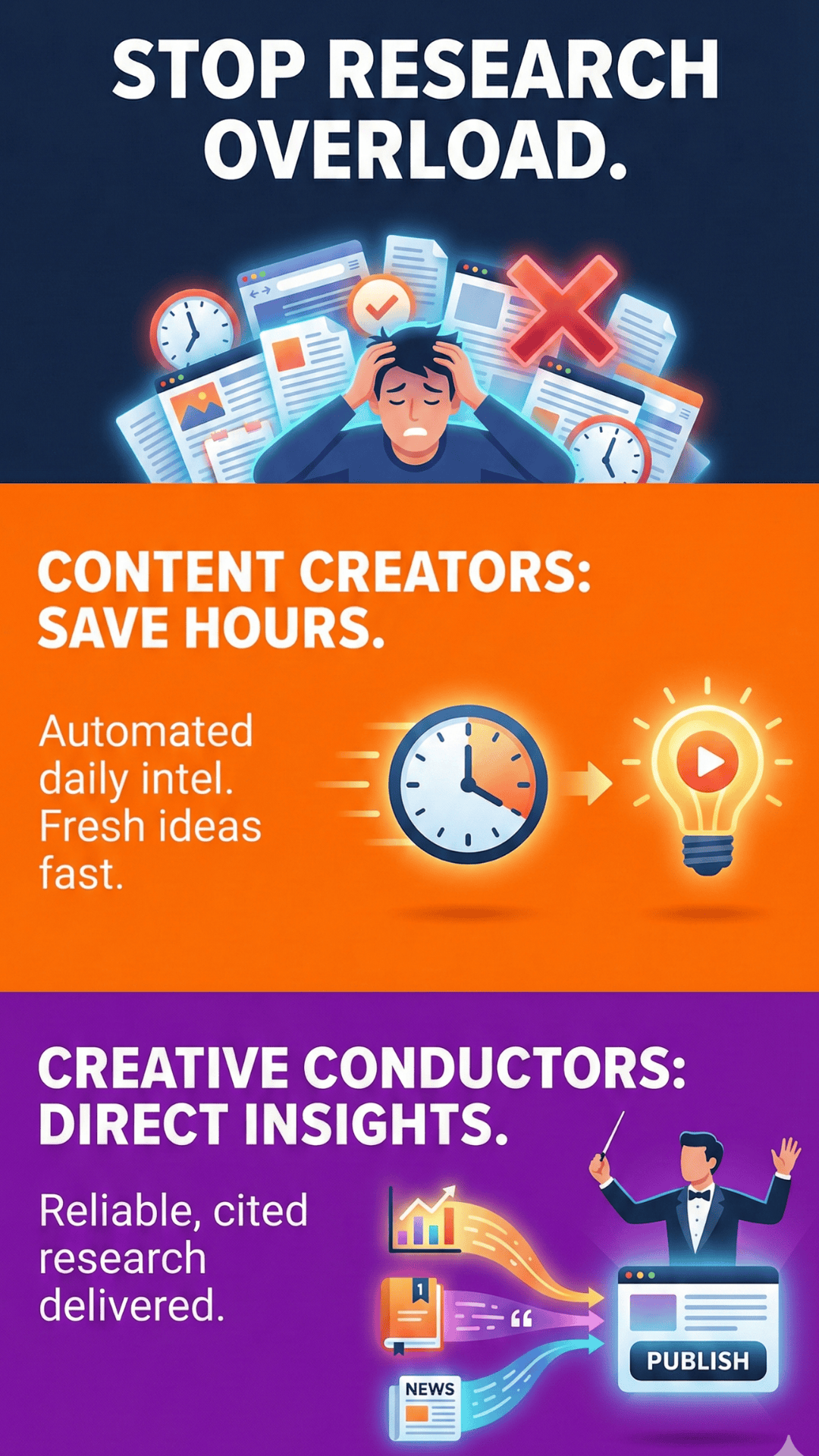
For me, this has become a creative lifesaver. I can never run out of new ideas, and honestly, those two or three hours a day I used to spend on research? They’ve been compressed down into a quick, actionable morning briefing.
That means I’ve got more energy and time to actually create, connect, and grow my business. And it works whether you’re writing blog posts, recording podcasts, managing your LinkedIn presence, or doing something totally unique.
I’ve even got my whole system organized so I can save and structure my notifications just where I want them—on my laptop for some things, on my phone for others. And the flexibility doesn’t stop there. You can pick which AI models you want to use for your research. I’m talking about industry favorites like Sonar, Gemini, Claude, ChatGPT, or even some based in the US for those special needs.
Think of it like you’re the conductor of your own creative orchestra. You choose which instruments play and when, and this tool helps you pull it all together so you can deliver the perfect performance for your audience.
So, if you’re ready to say goodbye to feeling overwhelmed by information and hello to smarter, faster content creation, I’d really encourage you to check this out. Here’s that link again—https://youtu.be/DFYSWI3dGlc.
Go take a look, and let me know how you’re planning to use these ideas to boost your creativity and your business. I can’t wait to hear from you!
Thanks for joining me today, my friend. Let’s keep working together to make your creative journey not just easier, but a whole lot more rewarding.
For your convenience, here’s a transcript of this episode:
Terry Brock [00:00:00]:
Most creators start with just a blank cursor, and it’s blanking there, and you can’t get any information from that. What do you do? How are you gonna get these ideas? And you don’t wanna just keep doing the same thing that everyone’s doing. You want something that’s new, that’s fresh, and relevant to your audience. Well, I’ve got good news for you. With Perplexity Tasks, they’ve given it some updates. They’ve worked with it. It is a tool that creators are using enormously for content creators and more specifically for creative conductors. I’m gonna talk to you more about that in this exciting video.
Terry Brock [00:00:30]:
If you create with YouTube, podcasting, you’re a writer, you’re a blogger, you’re gonna love this video to see the things that you can do with it. Hi. I’m Terry Brock with Stark Raving Entrepreneurs. We help you to learn how to do this. I wanna get into some of the ways that you can use it that are gonna help you as a creator. As a fellow creator, I’ve been doing it for a long time. Actually, since I was in second grade. Yeah.
Terry Brock [00:00:52]:
Really. And through high school and all that, which was a few years ago. So now I wanna show you what you can do and how you’re gonna be able to stop wasting hours when you’re doing the research that you’re doing. Right now, content creators are spending two to three hours often daily just hunting for the trends. What’s going on? What’s happening? Well, you’re competing with people also who have the intel first. They’ve got it, and you and I don’t, or at least we didn’t until now. Now Perplexity Tasks, that’s the key, delivers customized intelligence automatically to you. Coming to you here from Star Entrepreneurs, I’m Terry Brock, and you can reach me there.
Terry Brock [00:01:30]:
A lot of times we’ll see people that don’t tell us who they are, how you can get in touch with them here on YouTube. Well, I wanna let you know how we can do that. And those of you who are catching us on audio, you can catch us there too. Terry@terrybrock.com. Looking forward to hearing from you. And the information overload really is killing your productivity. We’ve got so much. Have you noticed that today? Have you noticed we’re not lacking for information? Today, the information overload really is killing us and killing our productivity, and we’ve gotta find a way to get beyond that.
Terry Brock [00:02:00]:
See, generic feeds are burying what matters under noise. Lots of noise out there. We don’t lack for content today. And manual research steals the time from creator creation. So in the content that you’re creating, that you’re going to be out there doing, when you’re out there trying to do the searching and stuff, what if you get that delivered to you regularly in your email every day at a specific time, or every week, or every Monday through Friday? You can now do that. We couldn’t do that before. Now you can do that very easily with perplexity task. You’re gonna learn how to do it on this video.
Terry Brock [00:02:36]:
You see, late insights also have a problem because they mean that you missed opportunities and you’re getting stale content. We don’t want that. So now you’ve got a personal AI research assistant, and that is what perplexity task is all about. What does it mean? Well, it gives you the ability to get a lot done. It has automated alerts on topics that you have defined. I’m using this right now in many different ways. I like to stay on top of what’s going on with AI, with crypto, with current business trends, with marketing. These are things that are important to me.
Terry Brock [00:03:09]:
So what I’ve done is I’ve plugged those into perplexity tasks, and it gives me these alerts at a time that I’ve specified on the days that I’ve specified. Matter of fact, for me, it’s every day of the year. I wanna get it. That’s just who I am. And at weird hours of the day, so that’s okay. But it works. It can handle weirdness like in me and the folks like that. So we’re gonna see a lot of good with that.
Terry Brock [00:03:33]:
And it’s delivered on your schedule. Your schedule. Whenever you’re putting it in there, you’re able to get it. And it’s cited research is given to you that’s backed by intelligence, not just social media noise. This is important because then it’s saying, I got this reference from the scholarly journal of ABC right here by doctor Smith and doctor Jones, and they reported this. Rather than just, well, I heard Betty did this the other day. Well, that’s nice for you and Betty. But what we really wanna know is how can we use this in business to help people get some real results, what they need? Well, here’s how you can get started on this.
Terry Brock [00:04:10]:
Steps one through three, you’re gonna click a profile icon in notifications, and then go to new task. Then you’re gonna write specific prompt. I want the latest AI marketing tools or something like that. And then choose your frequency. When do you want it? Daily, weekly, weekday, monthly, or only one time. You can get all of that in this system. And the next thing you wanna do is set up an exact delivery time. For instance, you could say I want it at 6AM for a morning briefing.
Terry Brock [00:04:39]:
I wanna choose regular or deep research. And you can select email, push notifications, or both. They’re giving us a choice with this. Perplexity really has done a good job with this and many things else they have as well. And I like the way that we can specify when we wanna receive it. I get up early in the morning, and I like to get up at about four. Matter of fact, a video I just did last week talked about how I learned that from a guy named Doctor. Wayne Dyer, a psychologist who is no longer with us right now, but I got a chance to talk with him.
Terry Brock [00:05:08]:
He talked about getting up at four in the morning. I thought, hey. That sounds like an interesting thing. And he talked about how great it was. He goes, Terry, this is really good. It helped me. I get up and I run and I study. And I thought, well, Wayne, if you’re doing it, I’m gonna give it a shot.
Terry Brock [00:05:21]:
So I have a salute to doctor Wayne Dyer, who’s looking at us now from above, but we appreciate that. And I wanna make sure we give you some real good things you can use on that. Well, let’s take a look at the pricing plan on it. Pricing plan, it does cost to use perplexity tasks. It is not available on the free program. The pricing plan starts at $20 a month. Yes. It is a cost.
Terry Brock [00:05:42]:
There is something there. It is not available on the free plan. Some people will think, oh, I don’t wanna use it if it’s not for free. Well, I feel that if you’re willing to get something, you’re willing to pay for it, particularly in business. In a way, it’d be like someone who says, well, I wanna go to med school, 17, 18 years old. I wanna go to med school, but I’m not gonna pay for any of it. I want it all paid for. Well, you’re gonna have to pay something.
Terry Brock [00:06:07]:
Even your time and effort, you’re gonna have to put that in there. And so we’ve got to do that and get a mindset of 20 a month in business school. They told us it doesn’t matter what it costs you. What matters is the return that you get. If you paid $2,000 but you’re getting $20,000 hey, we we call that a good deal. So you wanna stay with it that way. Now if you’re on the pro plan, you get 10 tasks that you can use. I have found that using five to six, seven of them are plenty.
Terry Brock [00:06:36]:
I don’t think I’d need 10. If you do, then you might wanna look at going up to others. And the unlimited pro searches can give you even more on that. The maximum is 10 tasks when we’re using the, the key in there, and the primary features will give you the $200 a month, and then the enterprise is even more. For most of us, we’re gonna be able to get by on that $20 a month plan very well. Now this is gonna transform your workflow. It’s gonna give you the ability to get a lot more done in a whole lot less time. Matter of fact, when you look at it, it has content creator benefits that are in here.
Terry Brock [00:07:10]:
You never run out of fresh ideas. You know this is the bane of us who create content. You sit down in front of that screen, you’re wondering where am I gonna get ideas? Well, right now, I’m getting the tips on what to do. I’m gonna show you that in just a moment, so stay with me on this. We’re gonna go go through how you can use that and what you can do with it, how you’ll get the tools to work for you and to make that happen in a profoundly good way. You’ll never run out of the ideas. And two to three hours of daily research now be compressed to five minute morning briefing. It will be there and give you what you need when you need it.
Terry Brock [00:07:48]:
You tell it when to send it to you. And it’s on multiplatform. You can get it on YouTube. It’ll give you LinkedIn, newsletters, blogs, information on all of those, what’s happening in those fields. So, for instance, if you’re interested in say you do a lot of writing on LinkedIn. You can tell it to give you information when news comes out about LinkedIn carousels or with LinkedIn newsletters, or what’s not working with LinkedIn anymore? Did they change the algorithm? What’s the most recent change? And you can be alerted of that when something happens in that field, whatever it might be. If you’re in the medical field, what about the higgy wegy thing? I didn’t study a whole lot of medicine. You know, I went to business school.
Terry Brock [00:08:27]:
They didn’t study that. We didn’t study that. But that might be whatever it is in medicine that’s important, and you can find out about it very easily and very quickly. I like that. And the tasks that this will do for you, well, Well, the results you’re gonna see will help you stay ahead of those trends before your competitors discover them. You wanna come up with the right kinds of ways to search for it, to understand what is happening. Then it’ll build your authority as current sighted intelligence. That means this is the new rhythm that they’re using, the new SEO.
Terry Brock [00:09:01]:
I’ve been talking about this here on the channel. Instead of the old SEO, now we’re looking at generative engine optimization, looking at what’s going on with that to see the kinds of things that are available for you and also the automated engine authorization. And it’s gonna give you that optimization with that to get a lot more done. Right now, by using this, you will have current information that they’re looking for. It really is giving you an unfair advantage over what’s happening in many different places. You’re gonna be able to use that in a lot of ways. And you get a free creative time for production, not for her hunting down just the information. This is going to give you the ability to get a lot more done to be more relevant with the current status of where we are and what’s happening with SEO and how people are searching for answers.
 Terry Brock [00:09:56]:
And so I’m kinda curious, how are you using this? How are you gonna start automating first? What are you gonna do to get in there and start working with it and figure out, here’s what we can do, here’s how we can do it? Please share your ideas on how tasks are gonna help you and what tasks you’re gonna be tackling daily. Let’s stay in touch on LinkedIn and wherever you’re getting this information. Let’s do that. And what I wanna do is I wanna show you some of the ways this works right there on my spreadsheet in perplexity. So when you’re in perplexity, you’re gonna see a screen that looks something like this. You could probably recognize that. And And you’ll see you have all kinds of information down here on the lower right side. And what we wanna look at is the ability that you have to see this and to look at what’s going on, particularly when you see your customization.
Terry Brock [00:10:40]:
You’re gonna see that it’s customized, and so you’ll see in the lower left hand corner down here. I wanna get down here enough so you can see this and zoom in on it where it has your icon. I just have the little icon there rather than my picture, but that’s where you wanna be. You wanna get on that and you wanna click on that. And when you click on that, then you’re going to see some information, some options there on the side. You’re gonna see the settings that are available. You’re gonna see the kinds of tools for the installation and the notifications on there as well. That’s where you wanna click.
Terry Brock [00:11:10]:
You wanna click there on the notifications, and then it’s gonna send you several of these that are available. And you can see that I’ve got quite a few of them on here already down here that I’ve put in, and I have them arriving at different times of the day. So I am arriving real early. Let’s say I get one here I’m gonna look at for instance. I want might wanna see business market and developments for the day. So I’m gonna click on that. And when I do, notice what it gives me here. It’s gonna give me the capability to change some of the settings on there, to put them in different places so that I can now take a look at some of the summarized key business and market developments of the day.
Terry Brock [00:11:43]:
These are words that I put in there, include premarket equity index trends, S and P, Nasdaq, major earnings releases expected, m and a news, and key macro data points. These are important. So I put some of that in there, getting help from some of the GPTs and perplexity tools that are out there already. And look what it gives you the ability to do. You can put it into a space so that it’s something that you’ll be able to say, okay. Everything that I searched on this particular topic, I wanna put into this space, like a little folder that’s there. You can also look at when you’re going to get it. I like mine scheduled for daily, but you can do even more than that.
Terry Brock [00:12:21]:
Notice when I click on this, you can see the kinds of options that are available that I can see over here. I put it in, and it gives me the ability to see it daily, weekly, or every day, or monthly. The every day one, they just entered, gave us that opportunity weekly. I like to get it daily because I find sometimes something might come in on a Wednesday, a Saturday, or a Sunday, and I wanna know about that. You might choose to have it only once a week or every weekday, Monday through Friday. You might want it once a month or you might want it one time yearly, and you might even want it only once. So you can have that as well. That gives you the ability to say, okay.
Terry Brock [00:13:01]:
I don’t want that, then when I’m going to get you get to determine when you’re going to get it as well. And then when you look at your notification platform, it gives you the ability to put it in a few different places here. I’m gonna select that here, the notifications, platform. Put that in there, and you’ll see that it lets me see email in app, email, or in mobile. So I can put that in all of those or none of them. I can choose or one or so. We probably would use at least one of them in there. I tend to like email for me.
Terry Brock [00:13:32]:
It gives me the ability to do a lot of different things of making sure that I’m getting exactly what I want, where I want, and then I can copy and paste a little bit easier on my laptop than going into the mobile. But it’s nice other times to have it right there on my phone when I want something real fast right now. Oh, there’s something I really like about this, and you get a chance to choose what’s working right for you. For as you’ll see right here, it’s got 05:30 when it is. Well, we can select whatever you want from 12AM all the way down through 11:30PM, whatever works for you. And I like the idea of getting that kind of choice that lets you decide when you’re gonna get it and when you want to have it there and when you don’t want it. And the other thing about it that’s really nice is if you say, okay. Okay.
Terry Brock [00:14:13]:
I really don’t need it right now. It’s a special time or maybe it’s a special week and you’re on vacation. You’re at a trade show. You don’t have time to check it all. You don’t need to. Not a problem. It just goes by. And it gives you the ability to have the capabilities that you need for research.
Terry Brock [00:14:29]:
And another option that it gives you that I think is particularly good, it lets you select from the tool that you want to use. What do I mean by that? Well, over here when it shows you the, platforms that are available, model options that are there. Click on this, and you’ll see Perplexity as they do it so well, lets you take a look when on your search, best, and web. This is what I’ve chosen. But what I can do right here is I can use search. I could use deep research. And the deep research gives me the ability to get a lot more done on this so I can go really in-depth. Now it’s gonna take a little bit longer to get that.
Terry Brock [00:15:04]:
But since this is set up so that it’s gonna do it when you want, it doesn’t really matter. It might say, oh, okay. Terry wants a report at 4AM on what’s happening with Bitcoin and crypto. Hypothetically, it could do that. Not a problem because it can start when it knows it’s gonna have enough time to check on it. It might start at 3AM and go in-depth on it. I don’t think it’d need a full hour, but whatever it will do, it will give you the ability to do that. A particularly nice feature in perplexity that you don’t get on many other platforms.
Terry Brock [00:15:35]:
And then there’s another little trait that I particularly like where it gives you the ability to not only look at deep research or something like that in your search, but what you can do is you can say, alright. I wanna search for something that’s gonna be the best model. That’s the one that you select. They just say, okay. You get a chance to choose that. Look at this. They’ve got Sonar, which is theirs that gives you that by default, but you could also select Gemini three Flash, Gemini three Pro. You can look into Claude Sonet or Chat GPT 5.2.
Terry Brock [00:16:05]:
Almost missed that one right there. You can look at that. Grok 4.1 right now, Kimmy two point five. And notice, it says hosted in The US. That’s particularly nice because we know that Kimmy comes from China, and sometimes they don’t give us as much information from China as we would get here in The States. That’s their business in China, but we wanna have it here, so they host it here. Very nice. So what it means is you’re getting the best of the best.
Terry Brock [00:16:31]:
Whatever it’s going to be as you’re using this, setting up these chats, or excuse me, these news feeds, this task that you have, a news feed to you about particular topics gives you a lot of capability. It opens up a world of possibilities for you to get the kind of information you need when you need it, and that really matters in a world where there’s so much information. You see, you’re going to be able to be the the creative conductor, much like a conductor of an orchestra, could play some of the interest instruments, but probably not all of them, and doesn’t play any of the instruments while he or she is conducting. This is what you can do. You will know how to pull from this, pull from that, and bring those to play so that you’re gonna be able to deliver the ideal content message to your audience. Well, I’m looking forward to hearing from you. What do you think of perplexity tasks? How are you using it? Or what do you see are possibilities for you? You can find out about that. Drop us a note.
Terry Brock [00:17:29]:
And also, we’ve got something for you here at AI Tools for Biz. That’s AI Tools, the number four,biz.com. So if you’re catching this on audio, if you’re catching it on video, you can see it. Also, we’ve got the QR code there so you can grab it right away. This is an ongoing training tool for you and for your folks, your team members that are right there that are working with you so you can find out what’s going on. And we also have another video waiting for you over here that’s gonna show you how you can start using some of these tools that are available in AI right now and get into it. I’m Terry Brock. I’m looking forward to hearing from you.
Terry Brock [00:18:06]:
Thank you very much for joining me.
And for my Spanish-speaking friends, here’s a transcription for you:
La mayoría de los creadores comienzan con solo un cursor parpadeando en blanco, y no puedes obtener ninguna información de eso. ¿Qué haces? ¿Cómo vas a conseguir estas ideas? Y no quieres seguir haciendo lo mismo que todos hacen. Quieres algo nuevo, fresco y relevante para tu audiencia. Bueno, tengo buenas noticias para ti. Con Perplexity Tasks, le han dado algunas actualizaciones. Han estado trabajando en ello. Es una herramienta que los creadores están usando muchísimo, especialmente los conductores creativos. Te voy a contar más sobre esto en este emocionante video.
Si creas en YouTube, podcasting, eres escritor, eres blogger, te va a encantar este video para ver las cosas que puedes lograr. Hola. Soy Terry Brock con Stark Raving Entrepreneurs. Te ayudamos a aprender cómo hacer esto. Quiero mostrarte algunas de las formas en que puedes usarlo y que van a ayudarte como creador. Como colega creador, llevo haciéndolo mucho tiempo. De hecho, desde que estaba en segundo grado. Sí.
En serio. A través de la secundaria y todo eso, que fue hace unos años. Así que ahora quiero mostrarte lo que puedes hacer y cómo vas a poder dejar de perder horas investigando. Ahora mismo, los creadores de contenido suelen gastar dos o tres horas diarias solo buscando tendencias. ¿Qué está pasando? ¿Qué está sucediendo? Bueno, estás compitiendo con gente que tiene la información primero. Ellos la tienen, y tú y yo no, o al menos no la teníamos hasta ahora. Ahora, Perplexity Tasks, esa es la clave, te entrega inteligencia personalizada automáticamente. Aquí, desde Star Entrepreneurs, soy Terry Brock, y puedes contactarme allí.
Muchas veces vemos personas que no nos dicen quiénes son ni cómo contactarlos aquí en YouTube. Bueno, quiero que sepas cómo podemos hacerlo. Y los que nos escuchan solo en audio, pueden contactarnos por ahí también. Terry@terrybrock.com. Espero tu mensaje. Y la sobrecarga de información realmente está matando tu productividad. Tenemos demasiado. ¿Te has dado cuenta últimamente? ¿Has notado que no nos falta información? Hoy, la sobrecarga de información realmente nos está afectando y dañando nuestra productividad, y tenemos que encontrar una manera de superarlo.
Verás, los feeds genéricos entierran lo que importa bajo el ruido. Mucho ruido allá afuera. No nos falta contenido hoy. Y la investigación manual roba tiempo de la creación. Así que, en el contenido que creas, cuando estás buscando información, ¿y si pudieras recibir todo eso regularmente en tu correo electrónico cada día a una hora específica, o cada semana, o de lunes a viernes? Ahora puedes hacerlo. Antes no podías. Ahora puedes hacerlo muy fácilmente con Perplexity Tasks. Vas a aprender cómo hacerlo en este video.
Verás, los datos tardíos también son un problema porque significan que perdiste oportunidades y que tu contenido se vuelve obsoleto. No queremos eso. Ahora tienes un asistente de investigación personal con IA, y de eso se trata Perplexity Tasks. ¿Qué significa? Bueno, te da la capacidad de hacer mucho. Tiene alertas automáticas en temas que tú defines. Yo lo estoy usando ahora mismo de muchas formas. Me gusta estar al tanto de lo que pasa con IA, con cripto, las tendencias de negocios, marketing. Esos temas son importantes para mí.
Así que lo que hice fue añadirlos a las tareas de Perplexity y me llegan alertas según el horario que yo elijo, en los días que yo quiero. De hecho, para mí, es cada día del año. ¡Quiero recibirlo a diario! Así soy yo. Y en horas raras del día, pero está bien. Funciona. Puede manejar rarezas como las mías y las de personas así. Así que veremos mucho bien en esto.
Y te lo entrega según tu horario. Tu horario. Cuando lo programes, lo recibes. Y la investigación viene citada y respaldada por inteligencia, no solo ruido de redes sociales. Esto es importante, porque te dice, “Obtuve esta referencia del Journal académico de ABC aquí, del doctor Smith y la doctora Jones, y ellos reportaron esto.” En vez de solo “Bueno, escuché que Betty hizo esto ayer”. Eso está bien para ti y para Betty, pero lo que queremos saber realmente es cómo podemos usar esto en negocios para ayudar a la gente a lograr resultados concretos. Bueno, aquí te explico cómo empezar.
Pasos uno a tres: vas a hacer clic en el icono de tu perfil en notificaciones y luego vas a “nueva tarea”. Después redactas el prompt específico que desees, “Quiero las últimas herramientas de IA para marketing” o algo por el estilo. Luego eliges la frecuencia: ¿la quieres diaria, semanal, solo en días laborables, mensual o solo una vez? Puedes elegir todo eso en este sistema. Y lo siguiente que quieres hacer es establecer una hora exacta de entrega. Por ejemplo, podrías decir: la quiero a las 6 a.m. para un briefing matutino.
Puedes elegir investigación regular o profunda. Y seleccionar email, notificaciones push, o ambos. Nos dan esa opción. Perplexity realmente ha hecho un buen trabajo con esto y con muchas cosas. Y me gusta que podemos especificar cuándo recibirlo. Me levanto temprano, como a las 4, y de hecho hice un video la semana pasada sobre cómo aprendí eso de un tipo llamado Doctor Wayne Dyer, un psicólogo que ya no está con nosotros, pero tuve la oportunidad de hablar con él.
Él hablaba de levantarse a las 4 a.m. Y pensé, “Oye, eso suena interesante”. Y explicó lo maravilloso que le parecía. Me decía, “Terry, eso es realmente bueno. Me ayuda. Me levanto, corro y estudio”. Y pensé, “Bueno, si Wayne lo hace, voy a intentarlo”.
Así que mi saludo al doctor Wayne Dyer, que ahora nos observa desde arriba, pero lo apreciamos. Y quiero asegurarme de darte cosas útiles sobre eso. Veamos el plan de precios. El plan de precios: cuesta usar Perplexity Tasks. No está disponible en el programa gratuito. El precio comienza en 20 dólares al mes. Sí, tiene un costo.
Hay un gasto. No está en el plan gratuito. Algunos dirán, “Oh, no quiero usarlo si no es gratis”. Bueno, yo creo que si quieres algo, estás dispuesto a pagarlo, especialmente en negocios. Como alguien que dice “Quiero ir a la facultad de medicina”, con 17 o 18 años, “pero no voy a pagar nada. Quiero que todo esté pagado”. Vas a tener que pagar algo.
Incluso tu tiempo y esfuerzo; vas a tener que poner de tu parte. Así que debemos adaptarnos y pensar que 20 al mes en negocios es poco. En la escuela de negocios nos decían: no importa cuánto te cueste, lo que importa es el retorno que obtienes. Si pagas 2,000 dólares y ganas 20,000, eso lo consideramos una buena transacción. Así que esa es la mentalidad. Si estás en el plan Pro, tienes 10 tareas que puedes usar. Yo he visto que usando cinco, seis o siete es suficiente para mí.
No creo necesitar diez. Si tú sí, quizá quieras revisar otras opciones. Y las búsquedas Pro ilimitadas pueden darte aún más. El máximo son 10 tareas con esta opción, y si quieres más, el plan de 200 dólares al mes ofrece más y el plan Enterprise más aún. La mayoría puede arreglárselas bien con el plan mensual de 20 dólares. Esto va a transformar tu flujo de trabajo, dándote la posibilidad de hacer mucho más en mucho menos tiempo. De hecho, tiene beneficios para creadores de contenido.
Nunca te quedarás sin ideas frescas. Sabes que esto es el dolor de cabeza para quienes creamos contenido. Te sientas frente a la pantalla y te preguntas ¿de dónde saco ideas? Ahora, yo estoy recibiendo consejos sobre qué hacer. Te voy a mostrar eso en un momento, así que quédate conmigo. Veremos cómo usarlo, las herramientas para que trabajen para ti de una forma realmente buena. No te quedarás sin ideas. Y esas dos o tres horas diarias de investigación pasarán a ser cinco minutos de briefing matutino. Tendrás lo que necesitas, cuando lo necesites.
Le indicas cuándo enviártelo. Es multiplataforma. Puedes recibirlo en YouTube, LinkedIn, newsletters, blogs, información sobre todos ellos, lo que está pasando en esos sectores. Por ejemplo, si escribes mucho en LinkedIn, puedes programar alertas sobre novedades de LinkedIn Carousels o newsletters, o si algo dejó de funcionar en LinkedIn. ¿Cambiaron el algoritmo? ¿Cuál fue el cambio más reciente? Serás avisado cuando pase algo en ese sector, sea cual sea. Si trabajas en medicina, ¿qué pasa con eso de las enfermedades? Yo no estudié mucho de medicina, fui a la escuela de negocios.
No estudiamos de eso, pero puedes enterarte de lo más importante de medicina muy fácil y rápidamente. Me gusta eso. Y las tareas que esto hará por ti: los resultados te ayudarán a adelantarte a las tendencias antes de que tus competidores las descubran. Debes definir bien qué buscar, entender qué ocurre. Así construirás tu autoridad con inteligencia citada y actual. Eso significa que este es el nuevo ritmo, el nuevo SEO.
He hablado de esto en el canal. En vez del viejo SEO, ahora vemos la optimización para motores generativos, para ver qué cosas están disponibles y la autorización automática del motor. Y tendrás esa optimización para hacer mucho más. Ahora, usando esto, tendrás información actualizada, lo que realmente te da una ventaja sobre lo que ocurre en muchos lugares. Podrás usarlo de muchas formas y tendrás tiempo creativo libre para producir en vez de sólo buscar información. Esto te permitirá lograr mucho más y ser más relevante con el estado actual de las búsquedas y el SEO.
Y tengo curiosidad, ¿cómo vas a usar esto? ¿Cómo vas a empezar a automatizar primero? ¿Qué vas a hacer? ¿Te pondrás a trabajar con esto? Comparte tus ideas sobre cómo las tareas te ayudarán y qué tareas vas a hacer a diario. Mantengamos el contacto en LinkedIn o donde recibas esta información. Hagámoslo. Quiero mostrarte algunas de las formas en que esto funciona, justo allí en mi hoja de cálculo en Perplexity. Así que, cuando estés en Perplexity, verás una pantalla como esta, probablemente la reconocerás. Tienes todo tipo de información abajo a la derecha. Lo que buscamos es la capacidad de personalización.
Verás que está personalizado y en la esquina inferior izquierda está tu icono. Yo tengo ahí un icono básico en vez de foto, pero ahí es donde debes estar. Haz click ahí. Y al hacerlo verás información y opciones en el lateral. Verás la configuración, herramientas de instalación y notificaciones también. Eso es donde debes hacer click.
Click en notificaciones, y entonces podrás ver varias opciones. Verás que tengo bastantes tareas ya creadas para diferentes horas del día. Por ejemplo, quiero revisar el mercado de negocios del día. Hago click en eso. Y al hacerlo, fíjate lo que me da. Puedo cambiar parámetros, ponerlos en diferentes lugares y así analizar el resumen de los principales temas de negocios o mercado del día.
Estas son palabras que yo mismo ingresé: incluir tendencias del índice bursátil antes de la apertura, S&P, Nasdaq, comunicados de ganancias importantes, noticias de fusiones y adquisiciones, y datos macro clave. Esos son relevantes. Así que metí algunos de esos, inspirado en GPTs y herramientas de Perplexity que existen. Y mira las opciones que te da. Puedes ponerlo en un espacio, como una carpeta, para reunir todo lo que buscas de ese tema ahí. También configuras cuándo lo recibes. Yo prefiero diario, pero puedes ir más allá.
Cuando hago click en esto, veo opciones disponibles: diario, semanal, cada día, mensual. El de cada día lo acaban de agregar. Me gusta recibirlo diario porque a veces pueden salir cosas miércoles, sábado o domingo y quiero saberlo. Puedes optar por recibirlo solo una vez a la semana, de lunes a viernes, una vez al mes o solo una vez. Así puedes elegir.
Determinas cuándo lo recibes. Y luego en la plataforma de notificaciones, tienes varias opciones: email, en la app, en el móvil. Puedes seleccionar uno, todos o ninguno. Yo suelo preferir email.
Esto me permite asegurarme de recibir exactamente lo que quiero, donde quiero, y copiar y pegar fácilmente en la laptop. Pero es útil tenerlo también en el móvil cuando quiero algo rápido. Eso me gusta mucho, y puedes elegir lo que funcione para ti. Por ejemplo, aquí tengo 05:30, pero puedes elegir desde medianoche hasta las 11:30 p.m., lo que más se adapte. Me gusta poder elegir, decidir cuándo lo recibo y cuándo no.
Y hay algo más, si no lo necesitas un día especial, una semana, porque estás de vacaciones o en una feria, no tienes que revisarlo. No hay problema, solo pasa de largo y así tienes las capacidades de investigación que necesitas.
Otra opción que me parece buena: puedes seleccionar la herramienta que quieres usar. ¿A qué me refiero? Aquí, cuando muestra las plataformas disponibles y las opciones de modelo, hago click en esto, y Perplexity, como siempre, deja elegir entre búsqueda, mejor modelo, o la web. Yo suelo usar búsqueda o deep research, que te permite hacer investigacion a fondo. Tarda un poco más, pero como ya programas a qué hora la quieres, no hay problema. Podría decir, Terry quiere un reporte a las 4 a.m. de criptomonedas. Sin problema, empieza a las 3 a.m. si lo necesita. No creo que tarde una hora, pero te da esa opción. Es un detalle muy bueno que no encuentras en muchas plataformas.
Y un detalle más que me gusta: no solo puedes buscar profundo, sino que puedes elegir el mejor modelo, el recomendado. Por defecto está Sonar, su modelo, pero puedes elegir Gemini 3 Flash, Gemini 3 Pro, Claude Sonet, Chat GPT 5.2, Grok 4.1, Kimmy 2.5. Y fíjate que dice “hosteado en EE.UU.”, lo cual es bueno porque Kimmy viene de China, y a veces allá no comparten tanta información como aquí. En China, es asunto de ellos, pero aquí preferimos que esté alojado aquí. Así que muy bueno. Significa que obtienes lo mejor de lo mejor.
Al usar esto, al configurar estos feeds, estas tareas de noticias sobre temas concretos, te da grandes posibilidades. Te abre un mundo de opciones para obtener la información que necesitas, cuando la necesitas, y eso importa mucho en un mundo con tanta información. Así, vas a poder ser el conductor creativo, como el director de una orquesta, que podría tocar algunos instrumentos, pero no todos, y no toca ninguno cuando realmente dirige. Esto puedes hacer tú: sabrás cómo sacar provecho de esto, de aquello, y combinarlos para entregar el mensaje ideal a tu audiencia.
Estoy deseando saber qué opinas de Perplexity Tasks. ¿Cómo lo estás usando? ¿O qué ves posible para ti? Puedes averiguarlo, déjanos un mensaje.
Y también tenemos algo para ti en AI Tools for Biz. Es AITools4biz.com. Si escuchas esto en audio o lo ves en video, ahí tienes el QR para acceder de inmediato. Es una herramienta de capacitación continua para ti y tu equipo, para que sepas lo último que ocurre. También tenemos otro video esperándote donde aprenderás a usar algunas de las herramientas de IA disponibles ahora. Yo soy Terry Brock. Deseando escuchar de ti.
Muchas gracias por acompañarme.