Hey, I’m Terry Brock — and I want to share something with you that genuinely changed how I use NotebookLM. Most people upload just a text transcript and call it a day.
But what if you uploaded your MP4 video AND your transcript at the same time?
That’s exactly what I tried, and the difference is remarkable.
Check out this secret-revealing video (You’ll love it!)
https://youtu.be/eeENlPG7Mgo
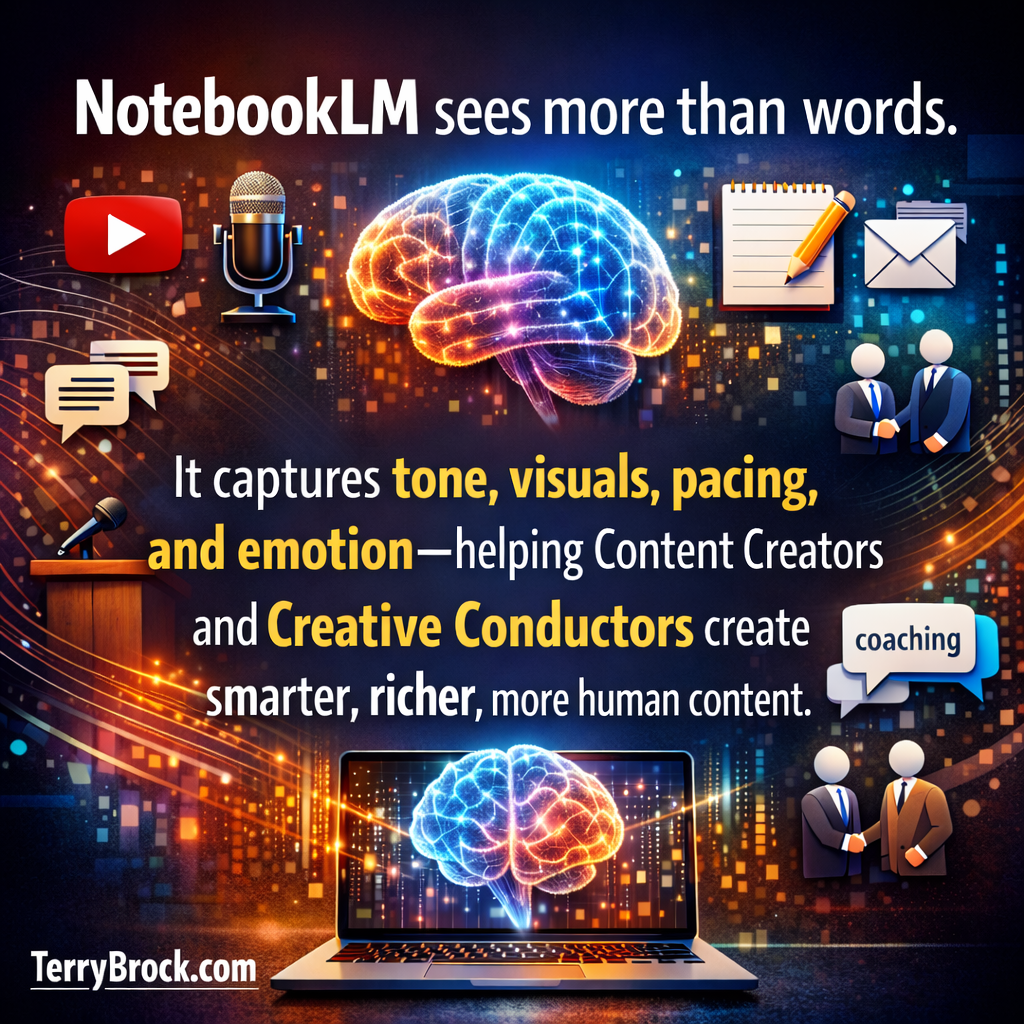
The AI doesn’t just read your words anymore — it observes your energy, your tone, your body language. It captures the soul of your content.
In this video I’ll show you exactly how I do it, how to work around the 200MB file limit, and how to get NotebookLM cranking out audio overviews, animated video summaries, slide decks, mind maps, infographics, and more — all from a single source.
Let’s dig in!
Recommended AI tools for business growth.
http://AItools4biz.com
Listen to this & other episodes on our podcast
https://bit.ly/sre_podcast
0:00 – The NotebookLM trick I wish I’d known sooner — here’s what most creators are missing
[0:45] – Video, transcript, or both? The question I started asking myself
[1:15] – What Gemini told me about the “multimodal redundancy” strategy — and why it matters
[2:09] – Why the top creators in 2026 are uploading both file types (and you should too)
[3:15] – How NotebookLM actually feels your tone and energy — not just your words
[4:06] – The visual context advantage: body language, pacing & slide delivery all get indexed
[5:19] – Why your energy on camera matters more than ever in a crowded content world
[6:22] – My pro tip: fixing transcript spelling and pronunciation before you upload
[6:48] – The 200MB workaround — paste the URL instead of uploading the file directly
[7:39] – A quick tour of NotebookLM’s three panels: Sources, Chat, and Studio
[8:54] – All 9 Studio outputs I use: audio, slides, video, mind maps, quizzes & more
[11:17] – The animated video overview feature in action — this one genuinely impressed me
[14:05] – My “Creative Conductor” philosophy: shaping AI output with your own voice
[17:01] – Infographics, data tables & choosing the right orientation for phones vs. presentations
[21:06] – Reaching visual, audio, and kinesthetic learners — all from one piece of content
? THE TRICK I DISCOVERED — MULTIMODAL REDUNDANCY
I wasn’t sure this would work. I started wondering: what happens if I upload both the MP4 and the transcript into NotebookLM at the same time?
So I went over to Gemini and asked. What came back blew me away. The AI doesn’t just read the text anymore — it observes. It picks up on tone, inflection, body language, slide pacing, and the energy you bring to your delivery. If you’re a high-energy speaker, that shows up in your output. If you’ve only been uploading text, the AI is basically guessing your tone — and it often comes out sounding flat or robotic. The MP4 gives it the soul of your content.
?? THE 9 STUDIO OUTPUTS I ACTUALLY USE
Once your sources are loaded, the Studio panel on the right is where the magic happens. Here’s what’s available:
• Audio Overview — pick from deep dive, brief, critique, or debate format
• Slide Deck — ready-made presentation slides for PowerPoint or Keynote
• Video Overview — a fully animated video summary with movement and narration (this one surprised me)
• Mind Map — a visual layout of your content’s key ideas (Tony Buzan would approve!)
• Report — a solid first draft for blog posts, LinkedIn articles, or your newsletter
• Flashcards — great for reviewing material or teaching it to others
• Quiz — perfect for self-study or building engagement with your audience
• Infographic — I recommend portrait or square orientation for mobile readers
• Data Table — a structured comparison pulled straight from your source content
BE THE CREATIVE CONDUCTOR — NOT JUST THE COPY-PASTER
This is something I feel strongly about. AI can produce content faster and cheaper than any of us. But that’s exactly why your human voice, your personality, and your expertise matter more than ever. My advice: copy, paste, and then customize heavily. Think of yourself as a conductor leading an orchestra. You don’t have to be the best violin player or the best on percussion — but you know when to bring in the brass, when to pull back, and when to let the music breathe. That’s what makes great content. Use AI as your instrument. You stay in the conductor’s chair.
Come hang out with us at StarkRavingEntrepreneurs.com or find us right here on YouTube — we’re always sharing new ways to use AI tools to grow your business and get your message out there.
I’d love to hear from you! Drop a comment below and let me know how you’re using NotebookLM — or what’s got you stuck. Let’s figure it out together.
Terry
Terry@TerryBrock.com
Here’s a transcript of this episode for your enjoyment:
Terry Brock [00:00:00]:
NotebookLM from Google is one of the most powerful tools I’ve seen for repurposing and for reaching audiences, building your business. I’m gonna show you in this video a special little trick that not everybody knows about, but you’re gonna know what you can do. And it’s a very simple thing to be able to really expand your use of using notebook LM in a way that you’re gonna get a lot more rich material from it. Hi. I’m Terry Brock, and we work with people showing how to do that. And in this video, I’m gonna show you exactly what to do. Matter of fact, let’s get right into it right now. So there I was, hardly bothering anybody when I was wondering, hey, what if I were to take the audio and the video and the text and put all of that in there in notebook l m? Because, you know, it will take up to 30 different sources.
Terry Brock [00:00:45]:
Well, I got to thinking about that, and I thought specifically maybe just the video because, of course, it’s got the audio too, but then also the text. But now would we need to do that? And I thought, oh, could we do that? And then I was thinking it might work in a good way and not be too much. Well, good way to do these things today is go to your favorite friends, your LLMs. I love working with Gemini. I love ChatGPT, Perplexity, love Grok. Get a lot of good information from there. And a couple others. Claude, using that as well now.
Terry Brock [00:01:15]:
Really good. They’re all good. They each excel in different areas in different ways. I went over to Gemini since I’m dealing with NotebookLM when I got a question about how to use NotebookLM or Gemini. They’re both right there in the Google family. So I went over there and looked at it, and I thought, okay. What if I do do that? Put the m p four and the text file in there. And it gave me some information that I wanna share with you right now.
Terry Brock [00:01:39]:
So here I am in Gemini. I wanted to go there and get the information. I asked a question. I said, I’m planning to use a recent video in notebook l m to get a lot of repurposed content. I love the idea of getting the extra audio and voices, etcetera, etcetera. And I wanted to know about putting in the m p four audio video as well as the text, and look what it gave me coming back. This is directly from Gemini, Google working with NotebookLM. To get that edge and break the 200 view barrier, that was something I was saying for a client, I wanna do that right now, so you can get up over that 200.
Terry Brock [00:02:09]:
You are hitting on the exact strategy the top 1% of creative conductors are using in 2026. Hey. That’s a pretty good thing there. Multimodal redundancy. That’s a term you wanna remember. Uploading both the m p four and the transcript isn’t just extra work. It’s the secret, that’s important, to high fidelity AI reasoning. In the 2026 version of NotebookLM, the underlying Gemini three engine doesn’t just read anymore.
Terry Brock [00:02:37]:
Get this. This is important. It observes. Here is why uploading both gives you a massive advantage in what the current research and our user community shows. It’s a good thing to do. So there it is. There’s your answer. You definitely wanna do it.
Terry Brock [00:02:53]:
I’m gonna go back and show you the details of it. But remember that it’s doing more than just reading the text. What it’s doing is it’s feeling the emotions. It’s looking what’s there. And if you go, woah, that’s really something, it catches that. It does that, which is pretty amazing when you think about it. It’s sensing those moods because it’s one thing in course of communication with people. If, let’s say, I know a hypothetical Bob.
Terry Brock [00:03:15]:
Bob and I are good buddies, And as guys, we joke with each other all the time. Let’s suppose Bob wore an outfit that was a little bit different. I can look at Bob and go, yeah, Bob. That outfit looks really good. Well, anyone that knows us knows that Bob and I are good friends, and I’m just making fun of him or saying something like that. But I said, that outfit looks really good. Those are the exact words that I would use in that hypothetical. But you know that it has a completely different meaning, one eighty degrees out from saying Bob looked good that day.
Terry Brock [00:03:46]:
Well, here’s the advantage. This is human life in real communication. We use emotion. We use our inflections. Those are important in communicating as much or maybe more than the actual words that are used. And so it is sensing that. Notebook l m does that, and it gives you a chance to have an extra advantage. K.
Terry Brock [00:04:06]:
Reading on here, it says the visual context advantage with an m p four. When you upload the m p four, NotebookLM uses its multimodal vision capabilities to see your body language, the slides you’re presenting, and the pacing of your delivery. That’s important. All of that, all of that you put in there. If you’re a high energy speaker, the audio overviews and cinematic video overviews will mirror that hype because the AI has indexed the energy of the video, not just the word. That is golden. Users who only upload text often find the AI output fields dry or robotic. Because the AI is guessing the tone, the MP four provides the soul of the content.
Terry Brock [00:04:50]:
So this is critical. You wanna get more juice out of your videos than you are a person who uses emotion, which is a good thing. And we don’t like the videos that are, hello. I am Terry, and I am talking to you right now this way. But, you know, we’re out of there because you’re competing against the entire freaking Internet and everybody on YouTube, 500 bazillion of them, I think. I think that’s the exact number. Bazillion people out there. You gotta do something to stand out with both quality and with the way that you deliver it.
Terry Brock [00:05:19]:
That’s critical. We talk about that in our start craving entrepreneurs, showing people how to look good on camera and how to come across real well then in your marketing. So this is something you wanna pay attention to. Make sure that you’re using it that way. And so what I did is I tried it. And you know what? It really does work. I uploaded the TXT file of a recent video, and I uploaded the m p four, both of them. Real good.
Terry Brock [00:05:42]:
By the way, there’s another benefit to that too. Sometimes when you’re uploading a video or you have just the text, the text could be misspelled. That could be a problem. And so if you’re mispronouncing it, then people go, this is not real. We know something’s wrong here. Well, what you wanna do is you wanna make sure you have that extra overriding you that’s gonna help you to produce even better quality. Putting that in there, it checks for that. It can go to the transcript, and if you correct the transcript, if you knew that there was a particular name or a brand that you wanted to mention, and it’s often mispronounced, good idea to go in there and make sure it’s spelled correctly, maybe even put in parentheses how it is pronounced.
Terry Brock [00:06:22]:
That’s a good thing. I remember in radio days when I was back in radio, I did a lot of radio. Undergrad degree was radio, TV, and newspaper. And when I did that, we’d sometimes go in there and we’d actually correct it, on the spot so we can make sure it is, and then put a phonetic sound in there. So that way we can put it and we knew that is the way you pronounce someone’s name, say, for instance, in an interview. This is an extra edge. Doesn’t take much at all extra on your part. No extra charge, of course.
Terry Brock [00:06:48]:
But you want to upload the m p four, and you’re not I shouldn’t say upload. What you do is you reference it. You’re allowed a maximum of 200 megabytes on a file that you’ll upload in notebook l m. And I, you’ll find out very quickly. I uploaded one. It was, like, 1.7 gigabytes, which is not unusual. And it came back with, can’t do that, you know. Well, it actually didn’t go, but it was kinda like that in my mind.
Terry Brock [00:07:12]:
But it will come back. So here’s what you do. You put the URL in there on the resource side. That you do that, and it will work much better for you. Let me show you what can happen when you do this right. Well, I’m over here in notebook l m right now, and you’ll notice there’s the three panels that you have. One over here on the far left is sources, over here in the middle is chat, and on the right is studio. If you’ve been around NotebookLM a little bit, you’ll know what these are about.
Terry Brock [00:07:39]:
So I’m gonna give just a real quick brief overview on that in case somebody is just getting started. But this video is directed more toward those that have a good working knowledge of NotebookLM and wanna go even deeper and go into some of the advanced levels. Notice what I did over here. I took my notebook l m for content creators and creative conductors. That was the name of the video there. And another part of the video that I had or another one here, unlock hidden gold in the context. I used different names for the production as I was going through it. The first one you can see is text.
Terry Brock [00:08:09]:
And the second one here, it referenced this with the video. I did not do that. I went in and I asked to, upload it that not to upload it, but to reference it. So it did there. So for instance, I come up here where it says add sources. I’d click on that. And down here on the bottom, you’ll see where it has websites. I click on that, and I would be able to punch in the URL.
Terry Brock [00:08:29]:
I tried uploading it, and like I said, it gave me that, error. And here in the middle, of course, you got the chat. So this, you can put in there to give explanations, put prompts in there. You can put in, hey, I’d like to make this a little bit more fun or make this a little bit more serious for a particular presentation. All of those things can be handled. And then the goodies and the output is over here on the studio. So you can look at what it gave you. Look at the nine capabilities.
Terry Brock [00:08:54]:
You have audio overview, just audio alone as you would think, a slide deck for your PowerPoint or keynote slides, video overview. This is oh my goodness. I’m gonna show it to you in just a moment here. A mind map. I’m thinking this is what Tony Buzan would like. Tony Buzan, the father of mind mapping, who, did a great number of words. We’re still appreciative of him today. Tony, you, know we really appreciate you.
Terry Brock [00:09:18]:
And reports that it can give you, showing you what’s going on. This is good for the first draft that you might use for a LinkedIn post, for a blog post, for your own newsletter that you might send out, all kinds of things there. But I would say first draft. Make sure that it’s you doing the the work on it. You have your flip flashcards here, great for review and for learning and study. Over here, you have the ability to create a quiz. That’s kinda nice if you wanna learn something for yourself or for others, an infographic, and then data table. All that’s there.
Terry Brock [00:09:50]:
Really nice. So what I wanna do is first, let’s start with you see the audio overview up here. Real handy with what it gives you. Down here, I’ve got one created, and I want you to take a listen to this, and you’ll be able to see and you’ll be able to hear what it sounds like.
Robot [00:10:05]:
This is the brief on Terry Brock’s interview with doctor Wayne Dyer. So content creator Terry Brock recently analyzed this old audio cassette interview he actually did with the late self help expert doctor Wayne Dyer, uncovering a really fascinating timeless exchange about how we grow as people and, you know, outsmart our own egos. First, Dyer maps out our evolution through four stages, starting with the athlete and ending with the spirit. But Okay.
Terry Brock [00:10:31]:
I’ll cut this off right there. Okay. I’ll cut that off right there. But you could notice it was very good. A clear voice coming through. I use the ability there to make it brief. Look at this. See, when you come in here, it gives you the choice or format, deep dive, brief, critique, or debate.
Terry Brock [00:10:47]:
This way, you can figure out what you wanna do. Is it something you really need to learn well with a lot of details in there? Well, the critique will help on that. The deep dive also helps on that so you can go real deep. Sometimes though you want it brief, which is what I wanted here. So I clicked on that, give me a short summary. And your link here, you can say, okay, I’m gonna go with the default, make it nice, or you can make it short or long depending on that, and then give any extra information right there. Great technology and the people that designed this, I think, did a great job. Let’s slide over here to the slide deck.
Terry Brock [00:11:17]:
You’ll see that’s the next one. Now if I click here, it’ll start generating a new one, or I can come down here and take a look at what it did. I’m clicking on that, and look at this. Let me make this a large screen here for you so you can take a look at it. Look at this. Great for a PowerPoint or Keynote on the Mac, a presentation that you can use, and it shows you what’s going on there, how you can use it, and it shows you this. It just went in there, grabbed the interview that I had, and all these kind of, features that I didn’t put in there the way that it should go. Beautiful professional quality, and I think there’s a lot of capability.
Terry Brock [00:11:50]:
It did that, and all I had to do was just click on it, ask it to put it together for me, and it made it happen very nicely. And here’s how it did it. Notice this isn’t the customized slide deck. You got a detailed deck you can put in there, choosing your language, that’s very handy. And the presenter slides, you can do it that way, which make it a little bit, less cumbersome when you want need to do it very quickly. And then any specific instructions you wanna put in there using your colors, maybe, putting in some extra pictures, whatever, things like that, you can do it right here. And this next one is really nice. So here in the upper right corner, you’ll see it shows you video overview.
Terry Brock [00:12:26]:
What we’re gonna do is we’re gonna pull that up and let you see the kind of things that this can do for you. See, as I’m looking for it here, here we go, the notebook overview right here, and I’m gonna click on play and notice what it does. There it is. It shows me that. I’m gonna go in here and click on this play button down here on the bottom.
Robot [00:12:43]:
Google’s notebook l m is a free multimodal AI research assistant designed to turn raw data into deployable assets. The ingestion pipeline handles varied input simultaneously.
Terry Brock [00:12:54]:
Watch this.
Robot [00:12:55]:
You can feed the system directly using YouTube links, m p three audio files, and PDFs. It synthesizes those inputs into formatted outputs, generating audio podcasts, presentation slide decks, and interactive study guides.
Terry Brock [00:13:08]:
Okay. I’m gonna pause it there. This is nice. Not just some slides with a voice behind it, but the actual animation and movement. This is really
Robot [00:13:17]:
Allowing you to manage links into an objectively map.
Terry Brock [00:13:19]:
There we go. She’s interrupting me on this. But, we put that in there. This is kinda fun. We can do it, and you’ll see it gives you a lot of different
Robot [00:13:27]:
audio podcasts and custom
Terry Brock [00:13:28]:
lot of different movement, which is really good with an audio with a video. This can be used to make sure that it supplements what you’re doing. And you see, that’s one of the best parts of it. You’re able to take this and you can use it in conjunction with the video that you create, the audio that you create, the text that you create. All of this can be repurposed. You can, as I like to say, repurpose the daylights out of this thing so that you’re gonna get more juice out of it all the time. Those of us who, watch and enjoy Gary Vaynerchuk, Gary v, he talks about the importance of repurposing and doing a lot of content that you create and then repurpose it out there. And, I think that’s a great one.
Terry Brock [00:14:05]:
By the way, Gary, we appreciate you if you ever catch this video. Thank you for what you’re doing. But this gives you the ability, my fellow content creator or creative conductor, the ability to really be that conductor. This is the key. Today, we’ve got AI churning out all kinds of information faster than any human can do it. Pretty good quality in many cases. Yeah. Really good.
Terry Brock [00:14:27]:
It’s faster and it’s cheaper. How How are we gonna compete with that as human beings? Well, as we’ve been saying at Stark Raving Entrepreneurs and on our group that we work with, we say what you wanna do is you want to be that creative conductor so that you go in there and you put in your views, your ideas, the feelings that you have, not just what we see it give you. You do not want to just copy and paste and then think you’re all done. No. No. No. No. What you wanna do is you wanna copy, paste, and then customize.
Terry Brock [00:14:58]:
Customize heavily. That’s what a creative conductor does. Think of a conductor of an orchestra. The conductor goes in and works with the people. The conductor might not be the best violin player, and the best piccolo player, and the best on percussion, and the best on no. Usually not. But that conductor knows the real strengths and when to bring in the brass instruments, when to bring in the wind instruments, when to bring in the other instruments, and when to not do that. When should it be more quiet and soft, and then when should it be more upbeat and a little bit louder.
Terry Brock [00:15:32]:
This is what you wanna do. Know what the message is. Know the content in your area, in your area of expertise. And then from there, know the tools, what they can do. Hey. Sometimes we wanna use chat and GPT for this. That’s a good one, we’ll use that. Other times, we might wanna use Claude.
Terry Brock [00:15:49]:
Claude’s got a little bit more of advantage in this particular area. Perplexity, holy Toledo, really does a good job with research and some others. So you wanna know a little bit. You don’t have to know all of them. Matter of fact, we can’t. Some of us have tried to do that. Not not naming any names here, but, yeah. Yeah.
Terry Brock [00:16:07]:
Not that I would ever do that. Yeah. Well, we can’t do it. And so what you wanna do is at least know what it what it can do. Now, okay, if I need to do some things with voice, and I’ll give you a good example. I know a little bit about ElevenLabs. I love the product. I’m a regular subscriber to it, and I’ll use it every so often, but I don’t know that much about it, but it is very good.
Terry Brock [00:16:27]:
And I know if you need some voice work, that’s a good tool to consider. HeyGen is another good tool for doing animation, for getting, you know, likeness of yourself. We’re working with clients on that. We help them do that and making money in other countries by using a different language. It’s amazing. I don’t know all the details of it, but we know enough to get in there and work with it. You wanna be that creative conductor, and working with notebook l m, it gives you the ability to do that as well in a big way. And we’re back now in the studio here, in the studio again on the right side here with notebook l m.
Terry Brock [00:17:01]:
I’m gonna click on graphic, and you can see what we can do with this. I’m I’m gonna click over here on the right, and you’ll see it gives you the ability to choose your language, select the orientation. By the way, often a real good orientation on that is portrait and square. I tend to like the square more, but portrait’s very good for the people who are reading it from their phones, which is only, I think, about 86% according to the studies who know a lot more about this than I do than I do. They are putting this together, and you want to use square or portrait many times. You can use landscape. That’s probably good if you wanted to use it in a real live presentation with other people, say, professional speaker like I am and have been now for, what, about forty two, forty three years and be able to show these things. That kind of orientation would be good then.
Terry Brock [00:17:49]:
Often though for reading it on email or seeing it in a blog site, or your your website on a blog, you could do it that way. And you put in the details that you want right here. Real handy on that, and it does some very nice things for you. And over here, you can see that it created a nice infographic for me. This one would be more intense. I would probably put this one in a book because if you put this into a slide, you’re probably not able to read all the details of what’s going on there. I mean, there’s some nice things there. I’m going to zoom in on it here, see how I can do that a little bit.
Terry Brock [00:18:21]:
It gives me a little bit of information, a little bit of capability there that I can see it if I zoom in here. But if you’re gonna use this in a presentation or if you’re gonna put this on a phone, people would not be able to read all of that. So you just behave accordingly and design it accordingly. And here’s another one that you can look at as well over here on the bottom right. It’s called the data table. This is one they’ve added recently. It gives you the ability to put in the data. You can describe it here, put it in that way, and it will generate that based on what’s on there.
Terry Brock [00:18:49]:
You’ll wanna be a little bit more, specific on what you want it to do and how to do that. So I’m gonna come down here in the bottom, and you’ll see that it’s got a notebook features and content creation. It created this graph. This is very nice. Many people like to see it that way. So it shows you the feature name, a description, supported input formats, key output benefit. It found all of this out based on what I had in my unique video, just like yours is gonna be different, and it gives you a nice format here. Now this is appropriate in some situations.
Terry Brock [00:19:20]:
You’ll be able to decide where it’s available and when it’s there. So there’s a lot of involved and a lot of capabilities you have with notebook l m. I recommend that you get in there at an advanced level after you worked with it and see what is available. I’m finding people are loving this. We just did a program recently, with my buddy, Jim Feldman, who is talking about notebook l m and our star craving entrepreneurs. Hi, Jim. If you’re watching this, hope you’re enjoying it. But, we showed how to do it.
Terry Brock [00:19:48]:
Jim showed some amazing things that can be done with this, and Notebook LM gives you the capability to get a lot done. I want you to get in there and splash around it. The way we learn things these days is you get in there, you try it. You make mistakes, you try it, and you make another mistake. And that didn’t work, and you make a mistake, you get kinda upset. One thing you can do, pick up your phone and ask your favorite LLM, the large language model. Ask chat g p t, ask Gemini, ask Grok, how do you do this? And many of them now have added the ability so that you can click your camera and it will see the screen. So you can say, look at the screen here.
Terry Brock [00:20:26]:
I’m on this. What do I do here? I need it to do this, this, and this. And then it can come back and say, oh, oh, you need to look over here on the right. You see that red button up there? Yeah. Okay. Well, click on that one and then click over here. That is a godsend for us who are working with technology over and over, and when you have questions. And when you know what I’m talking about.
Terry Brock [00:20:46]:
Come on. Content creator here to content creator. And it’s how frustrating it is when you’re trying to get something done, you just can’t do it. And I found that using several colorful military metaphors don’t always solve the problem. I know. I know. They don’t know. Anyway, what you wanna do is be able to get the assistance you need from the phone and from your LLM.
Terry Brock [00:21:06]:
This is opening up a world of opportunities. And how can this help you in business? Hey. That’s the most important thing. Stark raving entrepreneurs, we talk about making money and how to do that. We want to help others be able to do it. And one of the things you could do is when you’re able to reach people in a variety of ways, that’s good. Some people learn best by visual. When they see something, they feel better at it.
Terry Brock [00:21:29]:
They can use that. Others wanna hear it. They’re more audio oriented. Gina, my partner, is like that. She likes to listen to a lot of audio. I like listening to it as as well, but I tend to prefer the visual first. You can do both this way. You put it together.
Terry Brock [00:21:45]:
And many people prefer the kinesthetic. They feel it. They wanna get in there and wrap their arms around. They wanna get a feel for the thing. This is how we operate. Now, I’m no psychologist, but psychologists and neurologists and others who are way, way smarter than me in this area say you wanna be able to appeal to the right mode, the right flavor of learning that people have. Now you can do this with NotebookLM as never before. It is wonderful.
Terry Brock [00:22:11]:
I encourage you to get in there, take a look at it, and come over and see us at Stark Raving Entrepreneurs. That’s starkravingentrepreneurs.com or over on our YouTube channel. You can take check it out there. We also have a lot of other capabilities there where we help people learn how to use the tools and then use it to make money. Use it to build your business. Let me know what you think. Leave a comment down below whatever platform you’re getting this on. I would love to hear from you.
Terry Brock [00:22:37]:
I’m Terry Brock with Starkraving Entrepreneurs. Looking forward to hearing from you.